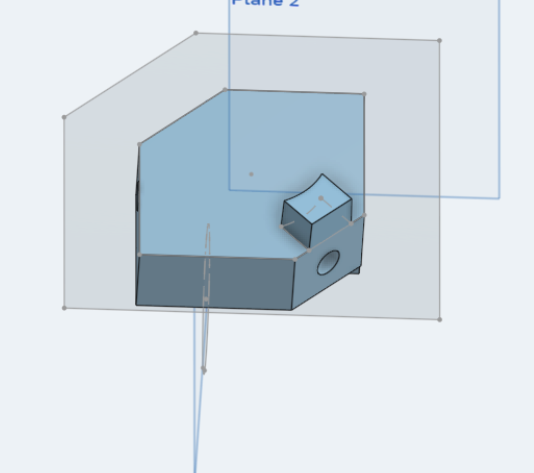
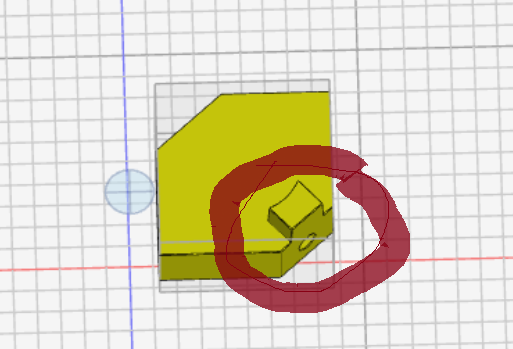
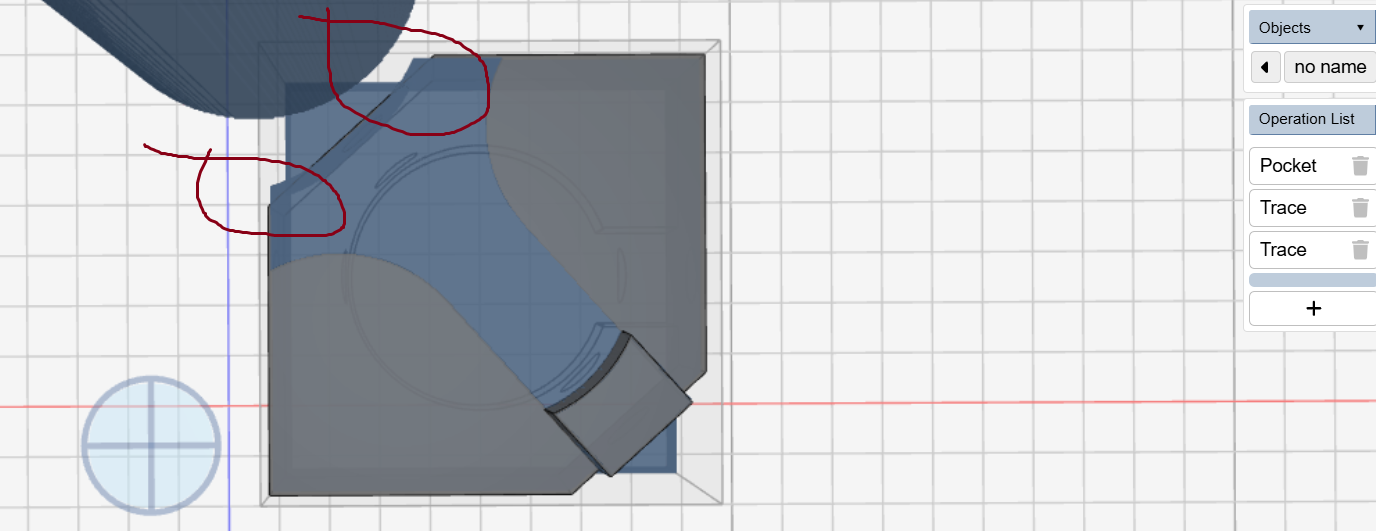
No matter what I do I can not seem to clean off the whole face….I figure I am doing something wrong and a workaround will be to design a dummy part but thought would submit it anyway.
workspace_LOC_FIXT (7).kmz (280.8 KB)
No matter what I do I can not seem to clean off the whole face….I figure I am doing something wrong and a workaround will be to design a dummy part but thought would submit it anyway.
workspace_LOC_FIXT (7).kmz (280.8 KB)
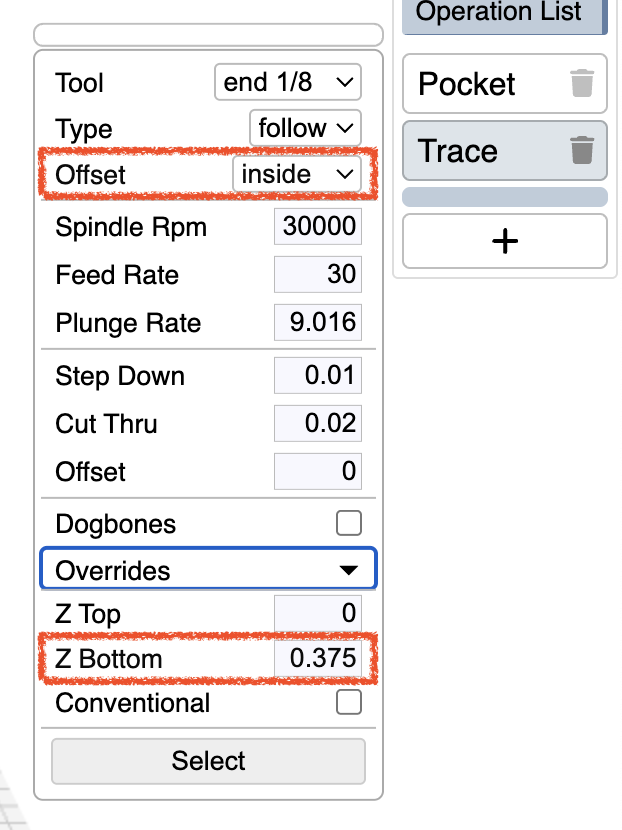
I’m confused about the trace operation that seems to cut into the part, and the fact that it’s first.
A pocket operation with the major top face selected seems to do the trick to me:
workspace_LOC_FIXT_fc1.kmz (270.3 KB)
What’s the part you’re actually trying to make? The one in the workspace or the one in the screenshots?
Final is the part in work space but current operation is the top face as shown in screen shot.
Okay. Did you try the suggested solution, on whichever part?
That solution helps….I will see if combined with other operations I can get what I want
Thank you……
workspace (14).kmz (167.8 KB)
thought it was solved but the first step in the Pocket is plunge to Z .375 inch rather than start the cutting at .75 inch….would certainly be a machine crash…..Outline starts at the top….the Z offset override does not work for pocket but it does for outline
why are you using the origin offset so high? is this an attempt to get the starting cuts higher? if so, why not increase the size of the stock then z-anchor bottom? why is skip shadow enabled? that will cause all sorts of collisions. are you cutting metal? these are tiny step over / step down increments.
to achieve what I think you want to achieve, you could use a single pocket operation. workspace attached. please switch to 4.3.0 … I will be promoting that to the production version this weekend.
workspace-pocket.kmz (727.7 KB)
Cutting aluminum yes…the part is 1/2 total cutting out of 3/4 thick piece of aluminum …I try to use 4.3.0 but for some reason it does not stay enabled when I perhaps reload….I will need to check that more often. I do not know what skip shadow is but will disable it…..Will look at your example.
sample worked great,….One operation pocket , skip shadow nice feature,..
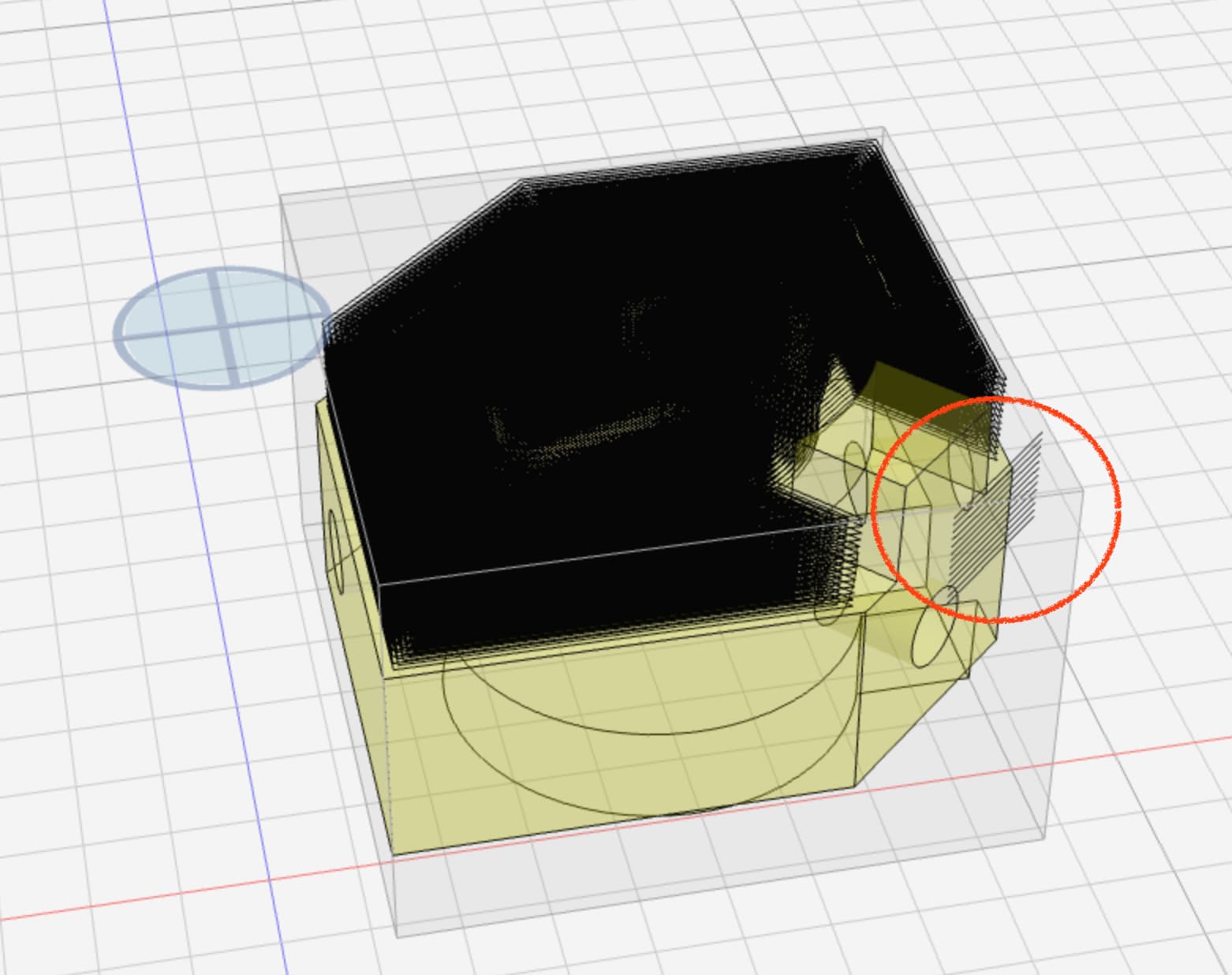
workspace (15).kmz (119.8 KB)……but need to machine the corner
just that face down or the outside of the entire part down to the bottom?
down to .125 from the bottom….the pocket operation cleared to 1/2 from the bottom
workspace (15).kmz (119.8 KB)
I added a trace operation with a few parameters to limit it to the upper part of that face.
added-trace.kmz (667.2 KB)
do you not want to route around the entire top of the part? otherwise there is no line to follow.
if so then you can do this as a single roughing operation with a z-bottom set
rough-z-bottom.kmz (868.7 KB)
that is how I did the other side…we got distracted with the Z offset…..that should work great….
you can set the z top/bottom in the operation instead of globally if you want