Is the contour in 4.5 better?

I love all the additions made in 4.5 particularly the addition of the tapered ball-nose tool, I’ve been milling a piece now and it looks even more detailed than before.
But what I noticed was that the contour passes I do after the lathe to get deep pocket from all angles have changed a lot, in stead of doing a pass over the axis over the whole object it just goes to a gap en then changes over to the next step, looks to me to be more efficient if it was not doing a Z-axis up and down every step. in version 4.4 it started and when it came to a gap in the line it moved up, moved to the next position moved down and went on like that, then it did a step to the next line and did that in reverse at a gap again up move to next pos and down.

But now in 4.5 it moves Z-axis up and down every change of step, and I do thousands of steps every up and down takes 4 seconds this adds hours to my milling time.

I thought this process would be more efficient to change the path for a gap to a step and go on like before, that would have saved me a lot of time moving the Z-axis in version 4.4

I think therefore it’s a bug and shouldn’t be doing the up/down every change of step.

Illustration of the path going up/down every few millimeter of milling:

I couldn’t get the older version to run or else I would have taken a screenshot of that path too, but it keeps loading kiri:moto, only the current version runs on my system.

did you use the install feature? if so, you have to first uninstall before you can switch versions.

can you drop your workspace here or DM it to me for testing? I’m sure I can fix this

thanks, I can make a screenshot now of the old path:

I can see how the new path could be way more efficient if it’s not constantly going up and down, it would drastically lower the up/down movements with the new pass, I think that was the aim too, but somehow it went wrong :slight_smile:

I’ll try to DM it to you, it’s quite large.

got it and testing. I have a more clever contour routing algorithm for gpu that will be in the 4.6 release … which is in progress.

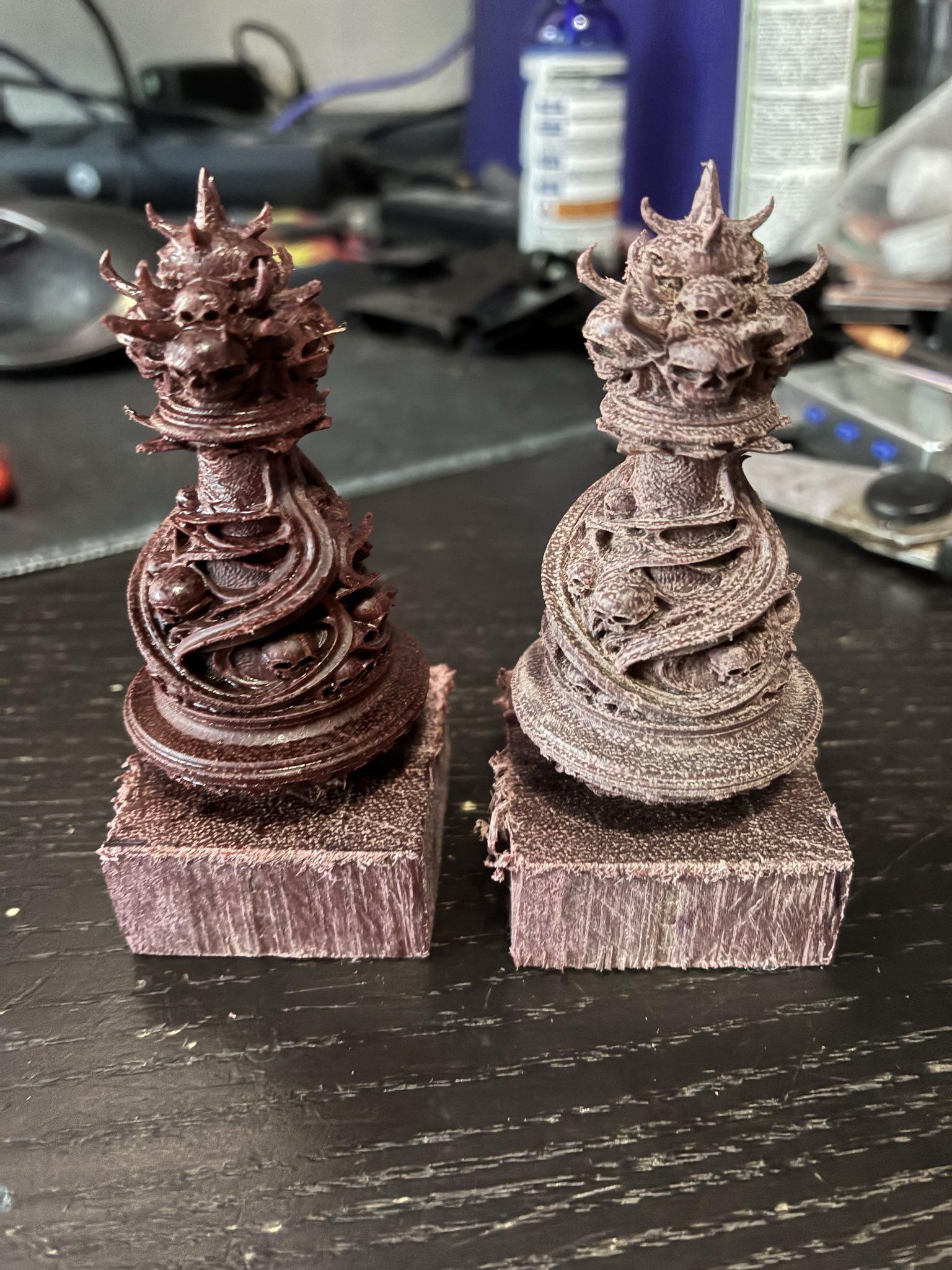
It’s not an equal comparison as the one from 4.4 is already in the Osmo, but here is a compare with the tapered ball-nose bit setup as flat nose (left 4.4) and setup as ball-nose (right 4.5) the new one needs baking in the oven and a 24 hour cool down period before I kan put it in the oil but I see the round surfaces are more gradual, more flowing. it’s a small difference though, it took way more time (didn’t time it) to mill because of the up/down every time.

By the way, I noticed some strange behaviour in the rough pass too, it did everything like I exepected and then it went back to a few layers.

Normally it was done, would rotate and to rough the other side, this time in 4.5 it went back to like layer 15.4, 9.4, around 8, 5, 2 and 0.5 mm hights and to them all again including the stuff that was already removed, it did remove some stock in these passes.

I have the step down on 1 mm, and I think these are passes best done between the 1 mm so it goes back to them, that’s great, but only the pass that touches the stock should be done, not the whole removing the already gone stuff from the corners and such.

It’s not a big thing, it just takes like half an hour longer to rough it.

also on the rough it had a feed rate of 640, but I have set feed rate to 800 (wich may be a bit fast for this dense wood) but I don’t know how it came to 640 actually.

roughing clear faces is causing the extra passes. in older versions of Kiri, these were interleaved with the normal step down cuts so you didn’t notice. now they’re done as a post-processing step to make it more explicit what’s going on. this is a transitional step to having the flat faces detected and processed locally instead of globally (the entire part gets a pass at the flat face Z)

my CNC is busy with a Z-axis workout, I think it’s training for the olympics…

Normally a pawn would take about 22-24 hours to make, now it’s already running for 31 hours and it’s not ready yet… :frowning: I think it needs another 2 hours…
The ball-nose detail is very nice though, round parts are a lot smoother :).

I have an update for you to test, but it’s using a new variant of the area operator instead of contour … does the same thing but more efficiently.

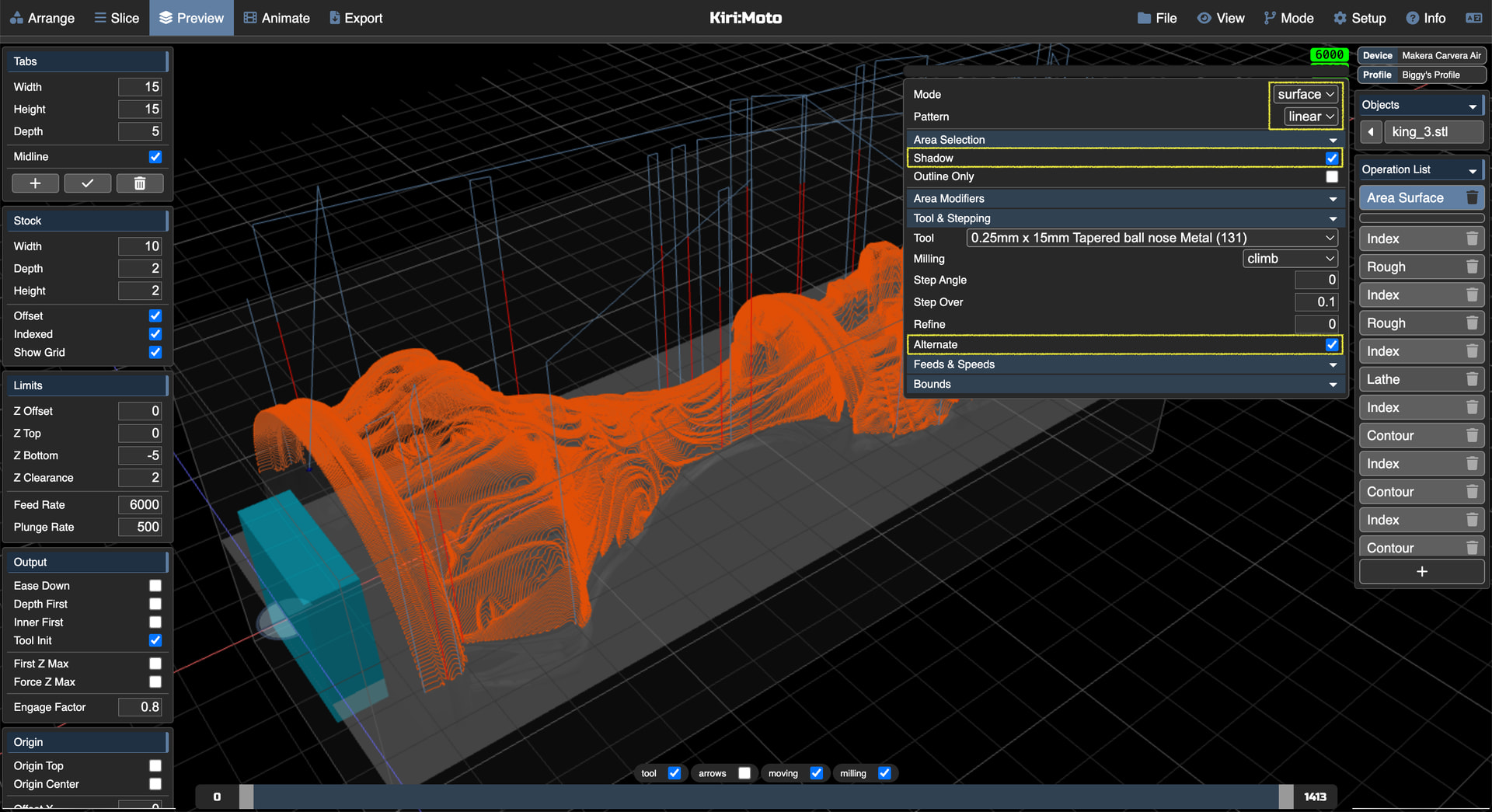
try out areasurfacelinear with shadow and alternate selected

on the dev server

That’s good news to wake up to :slight_smile:
I’ve tried it in animation and it looks very good, I’ll go make a NC file and test it for real :slight_smile:
Thanks.

Area is a bit slower in generating, the contour used 100% GPU and the Area function only uses 20% GPU, I think 95% would be desirable, as the 100% is fast, but renders the computer almost useless during the process.

Also I think the Area Surface function isn’t reporting the status to the statusbar, it’s standing at like 1pixel all the time and then WHAM it’s done.

Also had a few “aw, snap!” on the Brave brower, I switched to FireFox and now it’s using 100% GPU but at some point it freezes, it never finishes the whole slice, I’ll try to pinpoint where it hangs.

Here’s my testing procedure (in Brave browser, this one crashes, Firefox just hangs):
I started slicing:
1 area → ok
18 area → crash
6 area → ok
9 area → crash
other 3 area → ok

so it looks like a memory leak/overflow.

Export NC of all → crash (ofcourse)

I decided to export in parts:
Slice rough + lathe →
Export rough + lathe → ok
Slice area’s 1-6 → ok
export area 1-6 → crash at export

export area 1-6 directly (no slicing first) → crash
export area 1-5 directly → crash

I tested export of area content with only area 1 → ok

Export area 1-4 → crash
Export area 1-3 → crash
Export area 1-2 → ok
Export area 3-4 → crash
did a forcefull reload
Export area 3-4 → ok
reload moved to it’s own app, not a tab, export 5-6 → crash
reload, export 5-6 → ok
reload, export 7-8 → crash
reload, export 7-8 → ok
reload, export 9-10 → ok
reload, export 11-12 → crash
reload, export 11-12 → ok
reload, export 13-14 → crash
reload, export 13-14 → ok
reload, export 15-16 → crash
reload, export 15-16 → ok
reload, export 17-18 → ok

Now I noticed a lot went wrong the first try, so I tried the 1-4 again:
reload, export 1-4 → crash

So I’m going to mill my king in 10 parts, hope this helps you.

must say the parts are not very small:
02/01/2026 12:17 87.229.833 king_3 4.6 dev - part 1 rough+lathe .nc
02/01/2026 13:19 81.587.063 king_3 4.6 dev - part 10 area 17-18.nc
02/01/2026 12:43 80.299.001 king_3 4.6 dev - part 2 area 1-2.nc
02/01/2026 12:49 83.260.002 king_3 4.6 dev - part 3 area 3-4.nc
02/01/2026 12:55 84.135.857 king_3 4.6 dev - part 4 area 5-6.nc
02/01/2026 13:01 83.236.998 king_3 4.6 dev - part 5 area 7-8.nc
02/01/2026 13:03 80.291.955 king_3 4.6 dev - part 6 area 9-10.nc
02/01/2026 13:07 81.584.824 king_3 4.6 dev - part 7 area 11-12.nc
02/01/2026 13:12 83.851.033 king_3 4.6 dev - part 8 area 13-14.nc
02/01/2026 13:17 83.833.539 king_3 4.6 dev - part 9 area 15-16.nc
10 File(s) 829.310.105 bytes

yes, great feedback. and good luck!

wait a minute, this looks to be way too fine, did you change something in the step over values? it was always calculated to the shaft of the tool but it looks to be way too small now… I had to enter for the 0.25 mm ball-nose a value of 0.0393 to get to a stepover of about 0.1 - 0.12 mm but now it looks like it’s way smaller, is the stepover calculated to the with of the tool nose now?

Is the stepover value an absolute value now? so I need to enter 0.1 (for 0.1mm stepover).

Yes, it looks to be absolute now :slight_smile:

that makes my stepover 2.5x more passes no wonder I’m running out of memory :slight_smile:

taper tips use absolute values for stepping whereas non-tapers use fraction of flute diameter

1 Like

That explains a lot, changed it to 0.1, I think I can generate NC in 4 passes per file now…

That’s only 32 mb per file, 1-4 so I’m going for 6 areas per file so I can do the rough/lathe in 1 file, then the area operations in 3 files. (1-6 is about 50 mb per file)

Looks like the limit is around 100 mb, could that be the memory heap allocated by the browser?

there is no defined / standard limit for browser sandbox memory. in the past it was usually around 4GB which aligns with 32 bit pointer space. gpu memory is managed differently and the implementations are so new it’s hard to know.