4.5 Release is Imminent

Major feature work is complete. The next week will be devoted to the ruthless hunting and killing of bugs. PLEASE help me in this task by hopping onto the dev release server and putting Kiri through its paces. A short summary of the work that went into this:

137 commits

CAM Path Planning Refactor

The routing and path generation system underwent a complete overhaul, enabling significantly improved collision detection, smoother universal ease-down moves, and better tool shadow analysis. This foundational work makes operations safer and more reliable, particularly for complex geometry. The refactor replaced zMax with zSafe throughout for clearer safety height semantics.

New ā€œAreaā€ Operation

A unified operation type that consolidates trace, clear, outline, and surface machining into one interface. Includes linear surface machining with constraint angles, and full tab support across all modes. This simplifies workflow by reducing the number of operations needed for complex parts.

Taper Ball Tool Support

Complete implementation including tool editor with visual preview, accurate profile generation for collision detection, and 3D animation support. Tapered ball nose endmills are now fully supported throughout the toolchain.

Enhanced Tab System

Tabs now properly integrate with travel boundaries, merge when overlapping, and work correctly with indexed rotary operations. Improved handling ensures tabs are respected during ease-down moves and thru-cuts.

4th Axis Improvements

G-code parsing now includes rotational interpolation for smooth A-axis visualization. Added manifold-based indexed animation for better accuracy and lathe axis reset macros.

Camera Controls

Runtime switching between orthographic and perspective projection with preserved zoom preferences and corrected aspect ratio handling.

Roughing & Trace Operations

New flat passes option for horizontal roughing strategies. Inside/outside trace now supports open polylines with improved dogbone handling.

Technical Notes

The path planning refactor is the most significant change in this release, touching routing, pocketing, and safety moves throughout the CAM system. Users should test thoroughly with air cuts, particularly on complex indexed parts.
2 Likes

When using the dev server, is there a lazy way to import parts from onshape?

I thinking of using the onshape-integrated k:m to import from onshape, then export the workspace and import that to the dev server. Do I overlook an easier way? Does k:m just pull a STEP export or some such that I can produce directly from onshape?

when KM runs inside Onshape, it calls the api to get the equivalent of STL vertex soup. so you could export STL from Onshape then import that into KM on dev. or start with a workspace exported from KM in Onshape as a starting point then just pull in STLs

K:M/Onshape/STL question in a new topic.

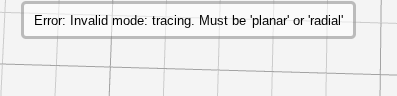
The ā€œareaā€ op looks interesting. This error message suggests in might be more interesting than it looks:

Screenshot 2025-12-13 13.50.43

But I don’t see any ā€˜planar’ or ā€˜radial’ options.

Also, the selected features are surfaces and it’s not clear what ā€˜tracing’ means in that context.

area-invalid-mode.kmz (177.1 KB)

good catch. I forgot to update a package version dependency. fixed.

when you trace a surface, you are using the outline of the selected area.

this new area operator (and even just the surfacing options) are probably worthy of their own entire video. just the coding / testing is taxing. video production and documentation is a whole next level of effort. I would need a team.

in your workspace, I noticed you selected the vertical surface. you want to use the trace option for that. surfacing is for organic or curved faces with z normal facing up, not vertical walls.

yes, technically that face is not vertical. surfacing could work with micro stepping. btw, notice anything different with this?

Yay – linear with step angle on selectable surfaces looks great!

The selected surface in the export is nearly but not quite vertical. Linear surfacing actually handles it reasonably well when the step angle is 45deg and the selection either includes the pocket floor or is expanded. Not ideal because it’s not the idea tool for the job, but it doesn’t choke either.

Offset also works when the area is expanded. But with the narrow area selected in the export, it complains:

Screenshot 2025-12-13 15.40.08

workspace? I’m not immediately able to replicate.

when you are surfacing using the area operator, you are using the new webgpu code… it’s offloading those calculations to your graphics card

Same workspace with ā€˜pattern’ set to ā€˜offset’.

At least with my gfx (neat capability).

it’s attempting to trace a path when none exists because offset in this scenario has no room to offset (it’s done in XY not some magical XYZ). i’m going to be adding a 3rd surfacing mode specifically for vertical and very steep walls.

Yes. I sent that in haste and forgot to make clear that the point was just the error, not that I was expecting a path.

Oh. I completely didn’t notice that at all. :frowning:

Arcs around corners! cool. :slight_smile: That was quick (and lots of other work today too).
I sure hope that plays well with ā€˜arc output’ because pushing ~100 ~10 micron segments thru 115.2kbps smells like trouble (I didn’t actually do the math).

But I don’t know because trying to export with ā€˜arc output’ enabled gets:

Screenshot 2025-12-13 18.16.54

at least for this workspace:

no-arc-output.kmz (161.1 KB)

Nevertheless, ā€˜arc tolerance’ and ā€˜arc resolution’ fields look encouraging!

Sometimes I don’t see what I’m looking at. At the moment, I’m not seeing what this is. ?.

====================

@stewart editing to add to earlier reply because forum forbids >3 consecutive replies…..

Contour weirdness

This looks like some strange things happening…

Contour, curves only:

(The clip.to and green bounding box look interesting…)

With curves only selected:

  • lots of flat area included in the slicing
  • but not all flat area
  • vertical walls included too, while max angle = 80deg (not so obvious in this view)
  • vertical drops cut off lower parts of sloped surfaces
  • vertical drop/slope cut happens above (i.e. not obviously correlated with) the lower flat level

Lots of Z lift isn’t wrong, and it better than crashing, but isn’t wonderful:

(also shows vertical walls better)

Then in simulation:

The sim, at 1x, takes time that appears to correlate with cutting the flat areas, but only cuts on sloped surfaces (not horiz or vert) appear in the simulated stock. (The bottoms of the four small slots are not flat so it makes sense for K:M to contour there even if the results of X contouring Y-oriented slots isn’t wonderful)

The workspace:

contour.kmz (312.4 KB)

this is what I get with curves only enabled. enable web gpu and retry. the gpu code is generally more accurate (and far faster) for contouring. it will also be the only code path for contouring in some future release. you may also want to enable inside only for this model

I will soon be simplifying the code base by removing redundant implementations from a time when some browsers (looking at you webkit) did not, for example, support nested workers.

the jumps up at the edges are phantom intersections from floating point instability. will see if I can clean that up.


Yes, that worked.

I didn’t catch that was an option to enable. Also web asm and threaded. K:M just got a lot faster :slight_smile:

1 Like

outline not going through v4.5….4.41 works if I import to v4.5 nada

OUTLINEV 4.4_RH_61 (5).kmz (216.3 KB)

OUTLINE V4.5_RH_61.kmz (261.8 KB)

missing Z through in limits

Z Thru was removed and now Z Bottom is fully in control. there were a ton of corner cases and conflict between those two. Historical context: z thru was a hack way before z bottom was added.

was able to get to work for outline…a little fiddle to jockey step down to mesh with z bottom to get one pass

however figured would check ā€œroughā€ ….and not able to make it work with same settings

rough 4.5_RH_61.kmz (359.3 KB)

outline-RH_61.kmz (321.9 KB)

thanks. fixed on the dev server.
