Hello .. Just joined - Take a look at the screen shot - The four 4mm holes I want to drill first with a 3mm drill - I am unable to do that as they are not complete holes and so they are not detected. I can do a 3mm end mill pocket as part of the roughing and outline process and this works fine .. however since I want to use these holes for reverse side milling, I need to drill into the base material below the part to rotate the part to the correct angular position with 4mm location pins before tightening up the centre on the reverse side milling and then removing the pins. Any advice please? Many thanks!
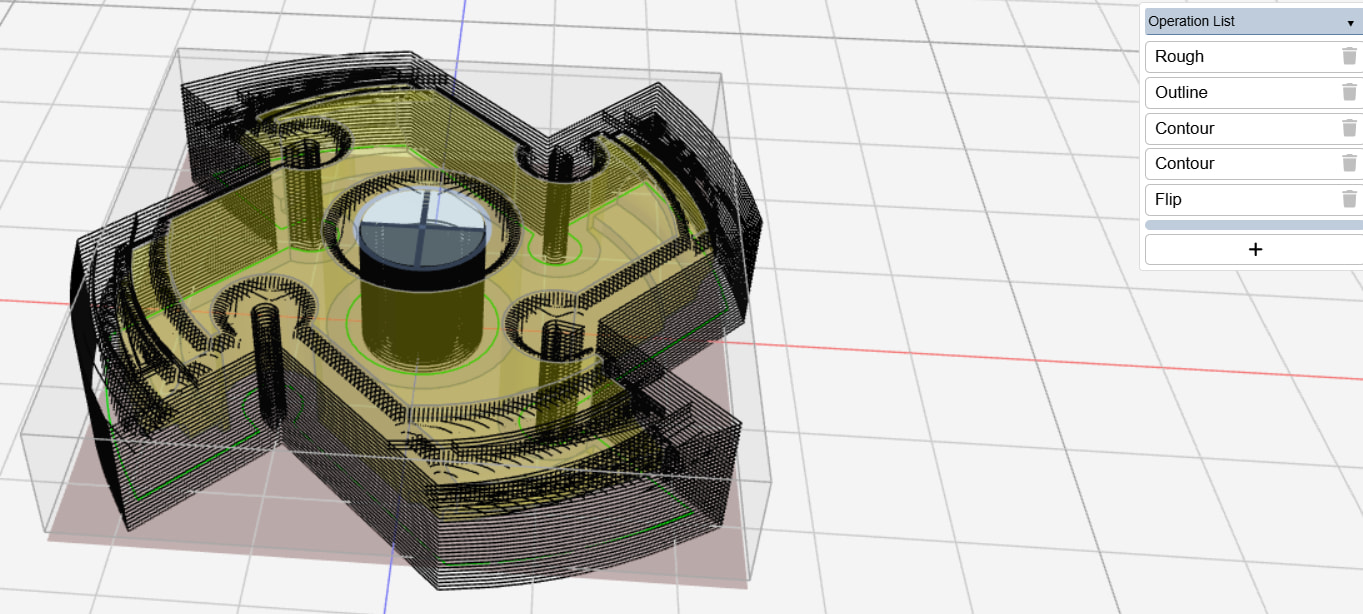
need to post the .kmz file ….I do not understand what you mean about “complete hole”
I often drill first and separate operation then mill …different tool re-probe top, maintain existing part center.
For these four holes unable to use drilling function as the holes are not complete circles and so are not detected as holes - the centre hole works OK as it is recognized as a hole that can be drilled.
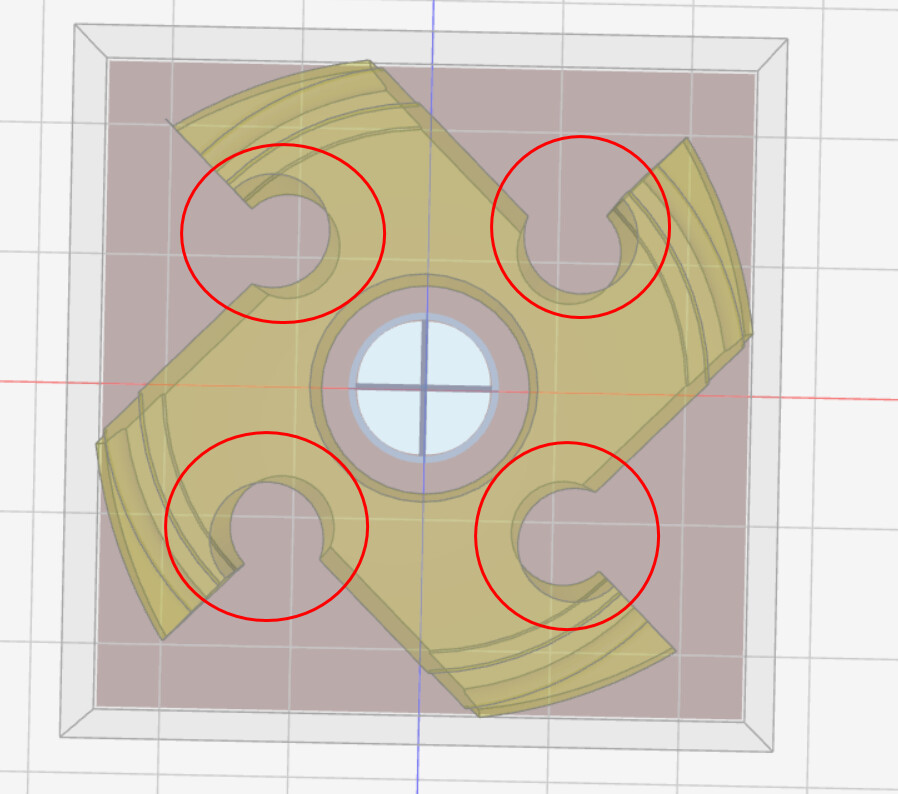
if those holes are square/parallel to the center hole you could have a model with the holes complete in order to locate the holes and registration holes in the table and maintaining the same center a different model where you mill out the slots in the holes. I see two programs one drilling a larger piece of stock and an other to mill the item as required….You would not be able to use a drill for those holes unless you had oversized stock. The drawing you show it is not clear to me those holes are square to the stock but perhaps I am just seeing countersink shaped clearance…what is it anyway.
if you can share your workspace, I can use that to test expanding the drill and helix area selectors.
Thanks its strange - in the actual model prior to importing into Kiri:Moto CAM all holes are square to the stock but when I orientate to TOP view in KM - the plane does not square up - not sure what the issue is. Yes it’s a good idea to have a separate model first for just drilling the holes.
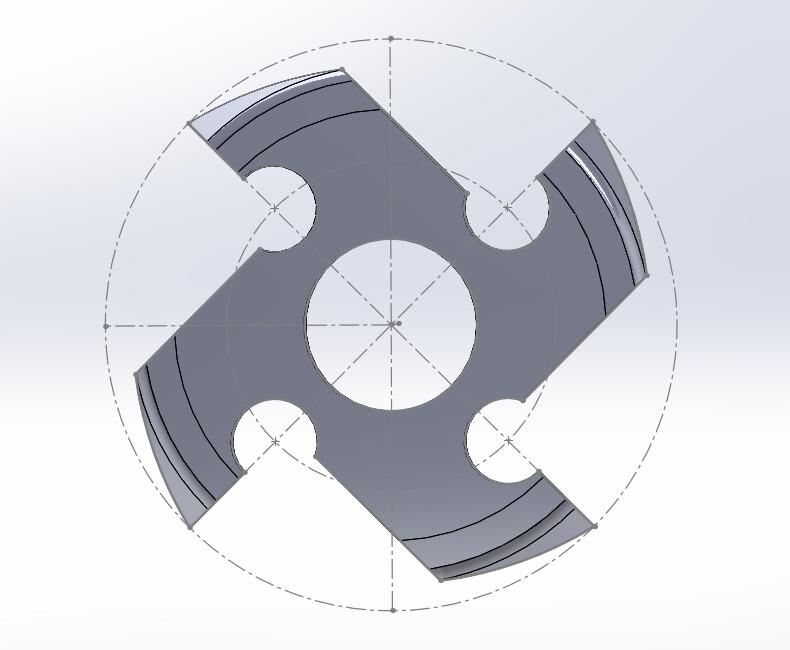
Thanks .. how do I share - I’m using the downloaded windows .exe - do you mean the .kmz?
yes the .kmz and you can use limewire.com
are you looking for the orthographic view in preferences?
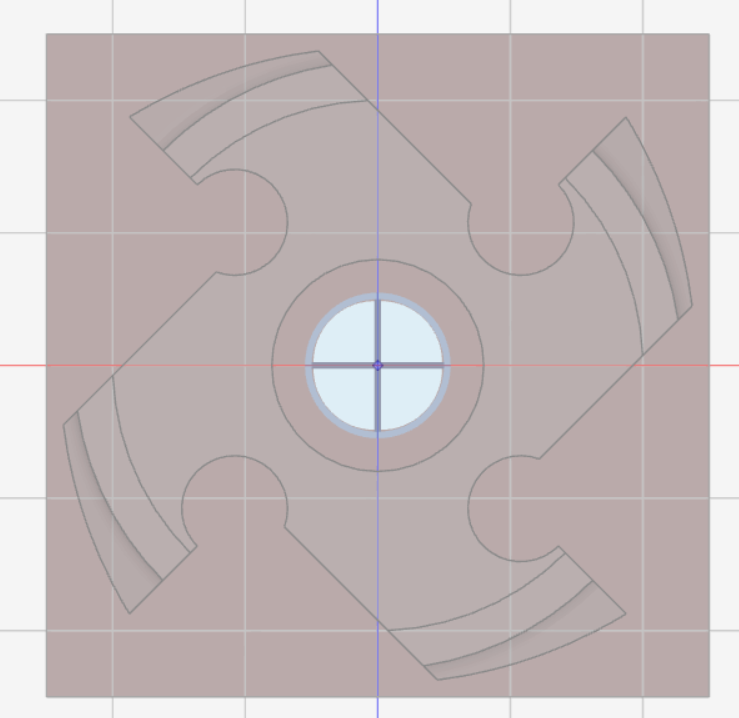
There should be two work spaces not one
the # part of the link was dropped when you pasted it. not sure why limewire does this. put the link in `` or quotes.
got it. thanks. try enabling web gpu under preferences. if your graphics card supports it, slicing will be 10x faster for contouring
Thanks .. very good - 3s instead of over 30 seconds !
1 Like