First, an apology. I’m still new at this. A couple weeks ago I was working on a project and was able to have KM slice my Onshape Part and then after sending to LinuxCNC, I was able to get it cut out of polycarbonate..
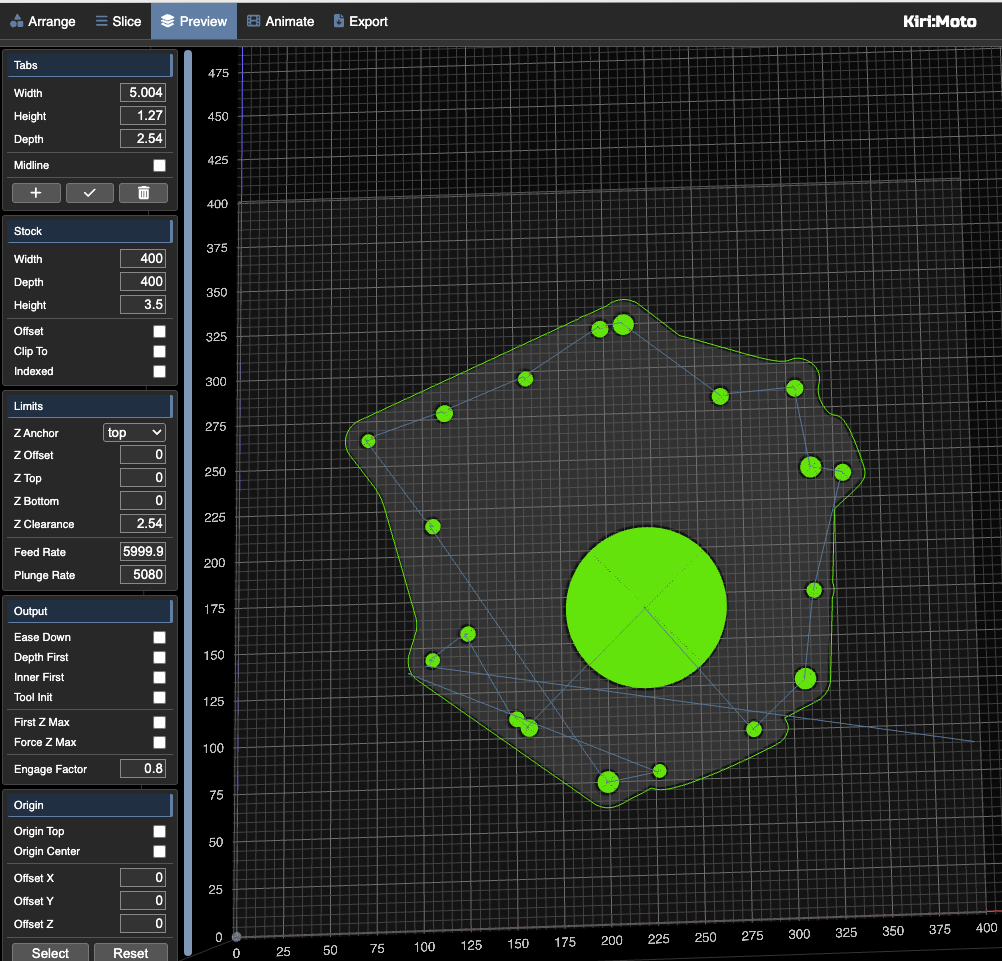
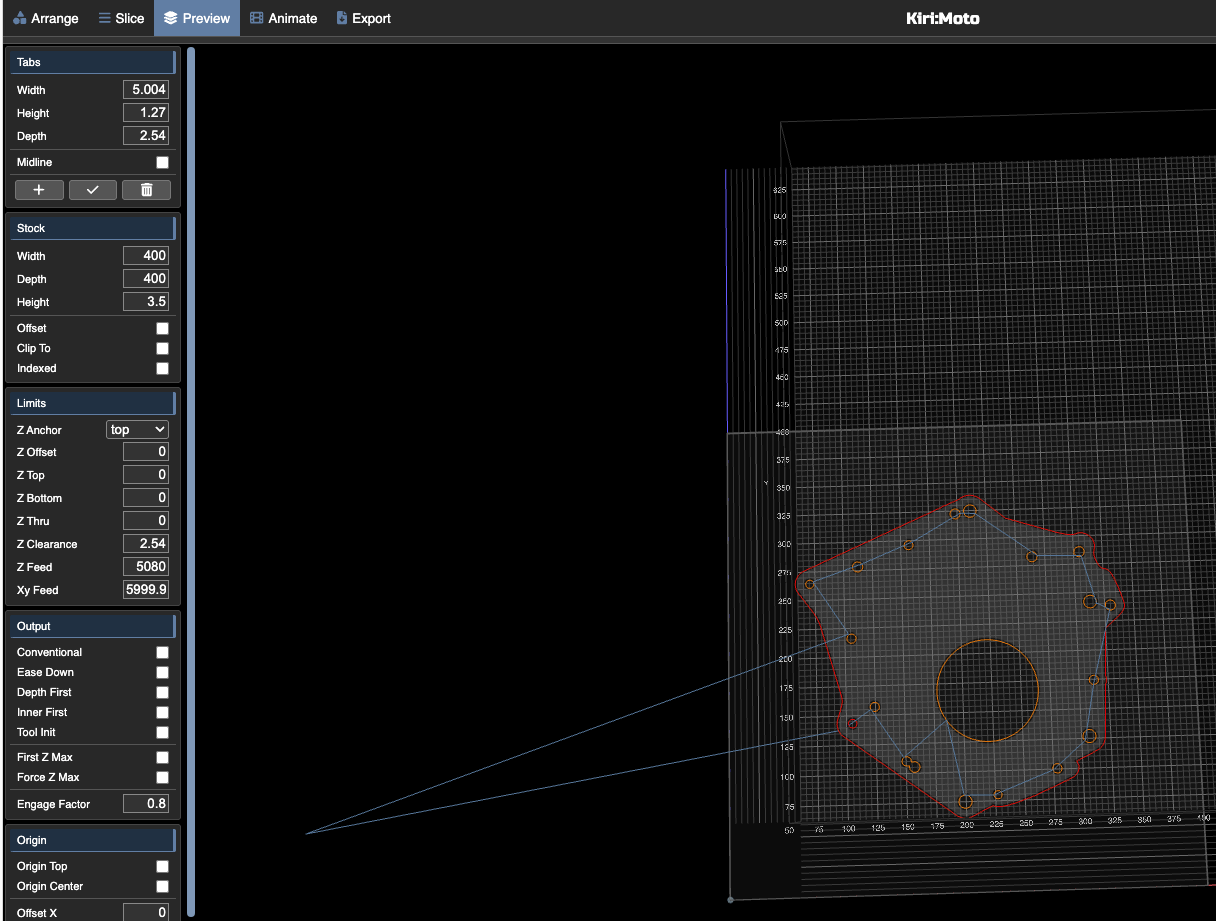
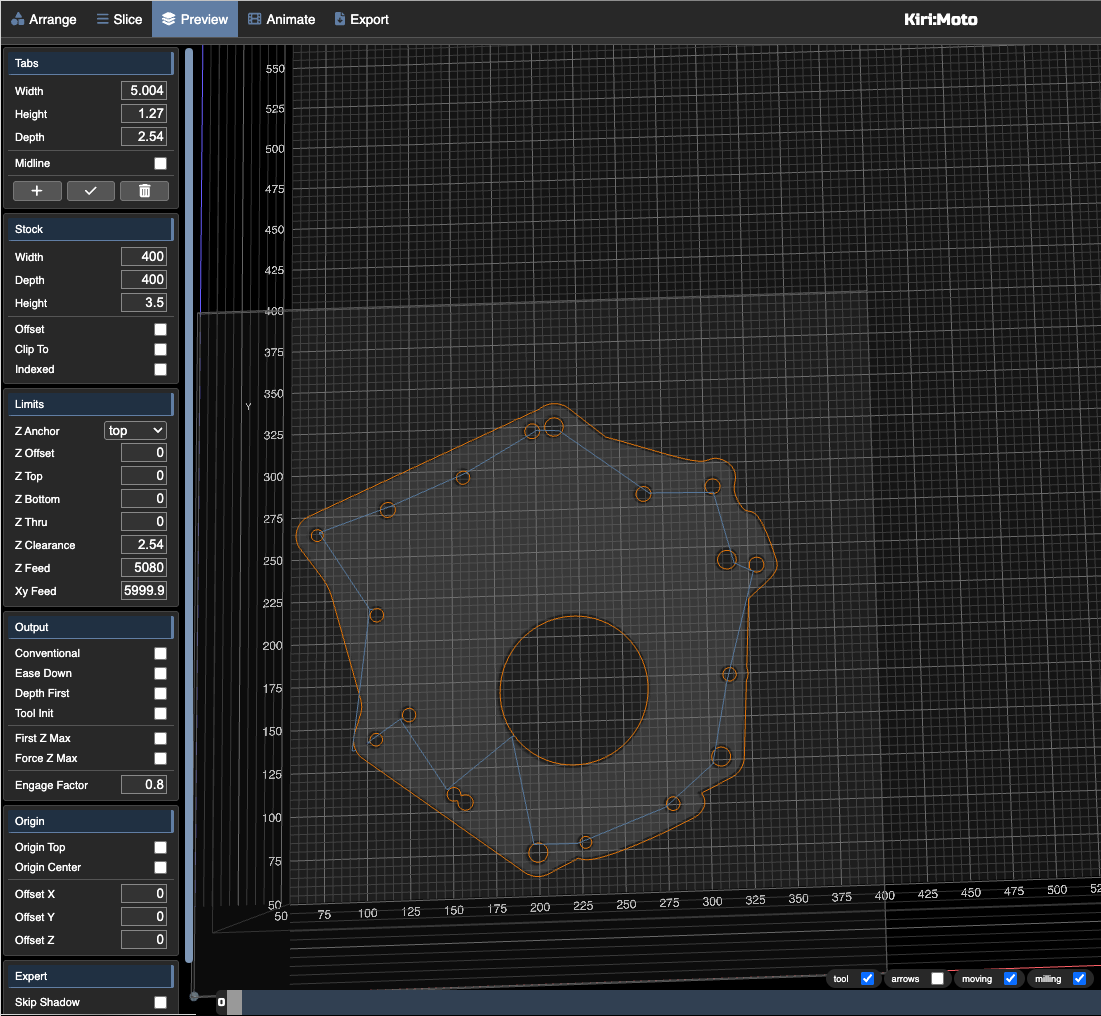
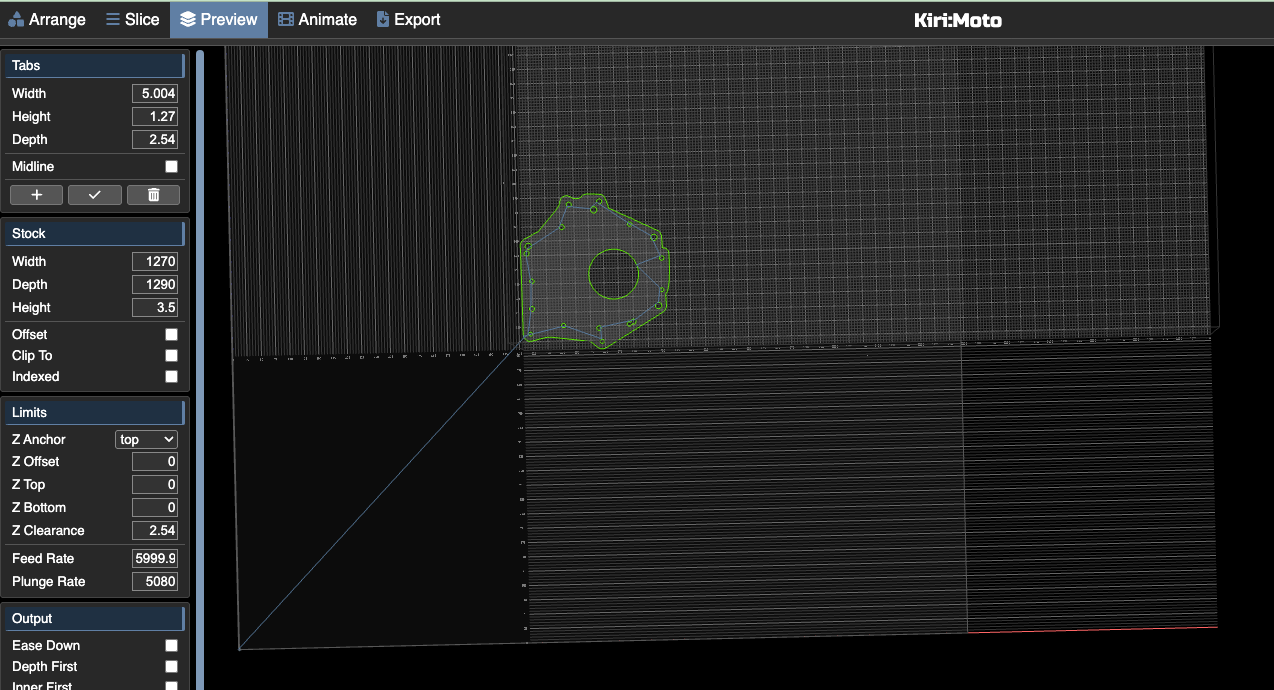
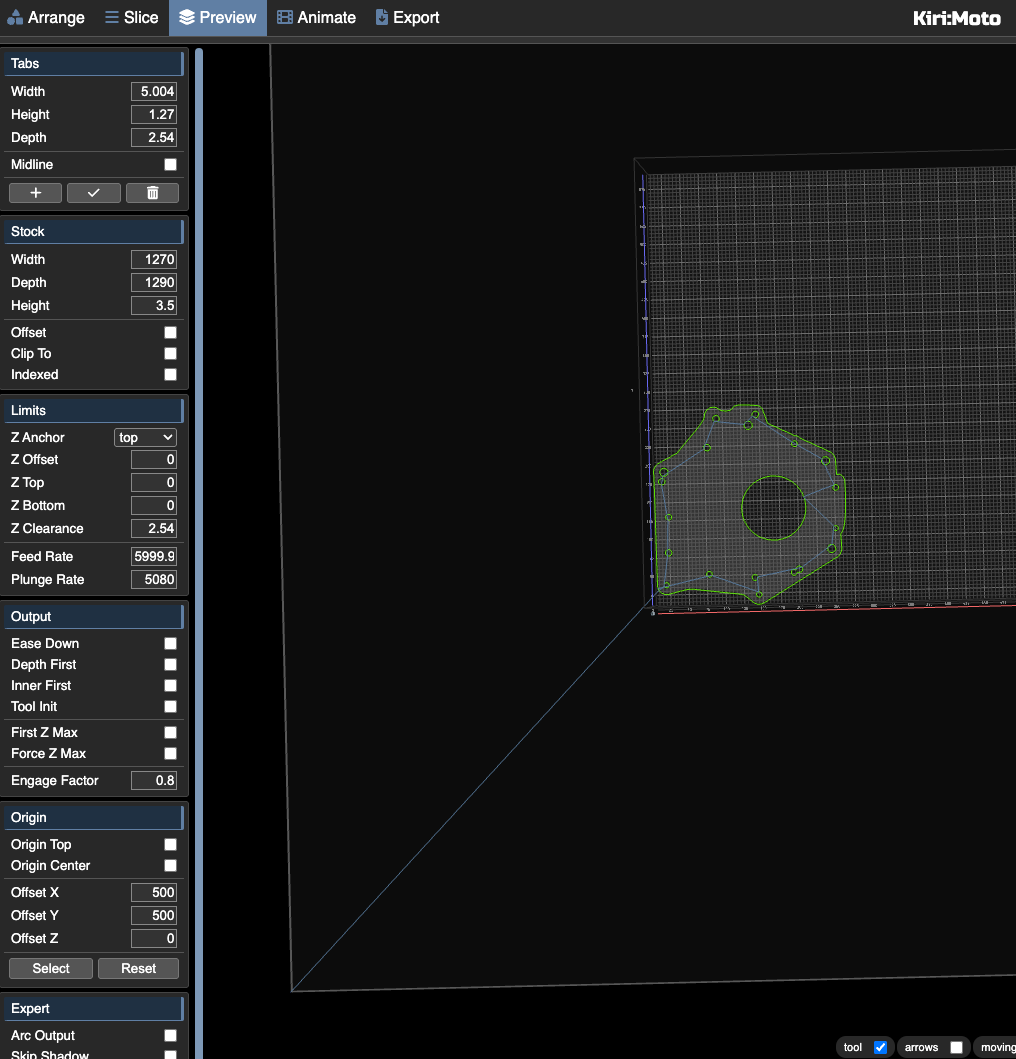
Something changed wherein now when I slice→preview, the tool starts off of my stock. Since I touch-off my CNC at the bottom left corner of the stock (relative to the KM view, and my physical stock), the toolpath causes the CNC to go way off to the right (X=400ish, Y=90ish though these seem to change), then the CNC goes to the first feature in the cut path and LinuxCNC stops processing G-Code.
My workspace might not make sense because I’ve been messing around with ‘rough’, and ‘outline’ and ‘inside only’ and ‘omit through’ and ‘omit pocket’, etc. I’ve also tried various settings in the Origin section on the left to try to understand what affects it. (I can’t upload the workspace because I’m too new of a user I guess).
Just to be clear, I’m trying to get a handle on what I’m not understanding, I’m not complaining.
this is going to be a little more complicated to sort out. there are long-standing assumptions in the code about stock and origin.
for now, please enable auto-layout in preferences and then press the a key twice to center your part in the stock (and maybe h to reset view from home position). it doesn’t really matter where your part is in the workspace since your machine only cares about origin relative to the part.
the fix will show up on the dev server first. I will follow up here once it’s ready to test.
If I make the stock width/depth be larger than the part, then when I click on Arrange, I can drag the part closer to the touch-off point but there’s always an offset and I can’t seem to get it near the touch-off point and I make less efficient use of my stock. So then I play with the width/depth to make them only slightly larger than the size of my part in order to keep the part that I’m cutting close to the physical corner of my stock.
Is that expected behavior and I just have to put that in my workflow?
I’m not sure I fully understand. I notice from your workspace that you have placed the part in the lower left of the workspace. this isn’t really necessary because the origin is relative to the stock, not the workspace. you can place you part anywhere on the workspace. you will zero your origin before milling.
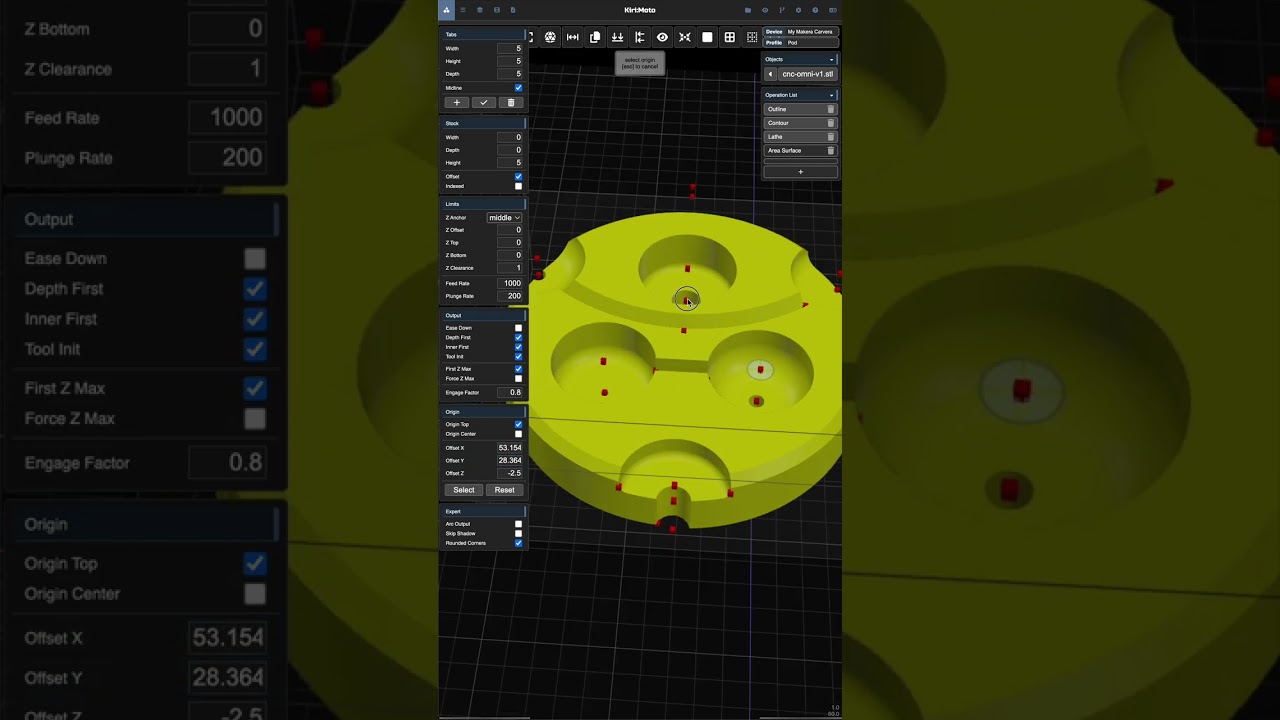
if you want to control your origin relative to the part and not just center or lower-left, use the origin menu on the left and set or select an offset. I made a short to demonstrate:
If I exaggerate the size of my stock to illustrate the point, and drag the part to the lower left of the ‘workspace’, and touch off on the bottom left of my stock (regardless of how much more stock there is to the +X and +Y of the piece, it will travel way far away before cutting.
yes, you are dragging the stock off the workspace and your origin is the lower-left of the stock, so that is the starting point for gcode. if you want to start the gcode somewhere else other than the lower left of the stock, either 1) check origin center or 2) set an offset manually or 3) use the origin select feature from the video.