I am brand new to Kiri:Moto and am on a very steep learning curve. I am moving over from Carveco Maker, but KM seems to be better suited to 2 sided carving which is better for me making guitar necks and bodies.
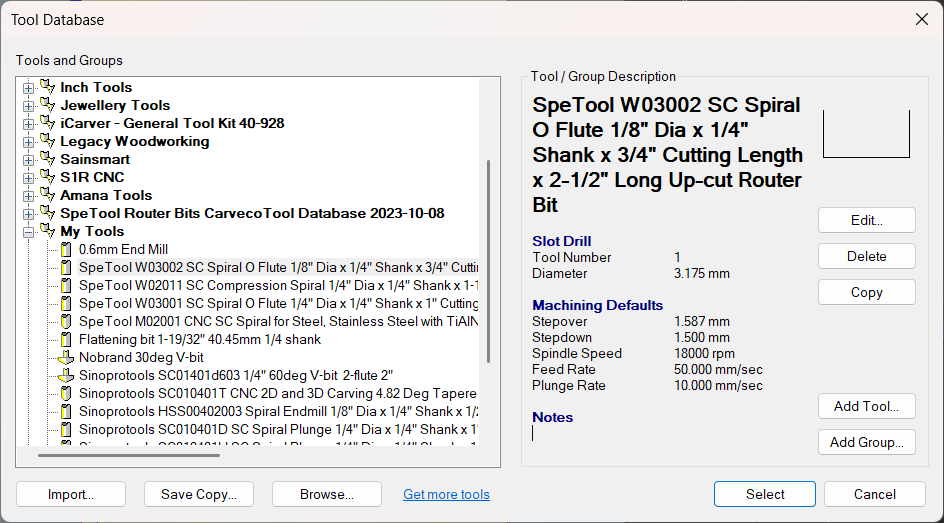
One feature that Carveco has which I haven’t seen in KM is speeds and feeds per material for different tools. How does everyone else cope with this? Write it on paper and stick it on the wall  ?
?
Here is a snapshot from Carveco’s tool database
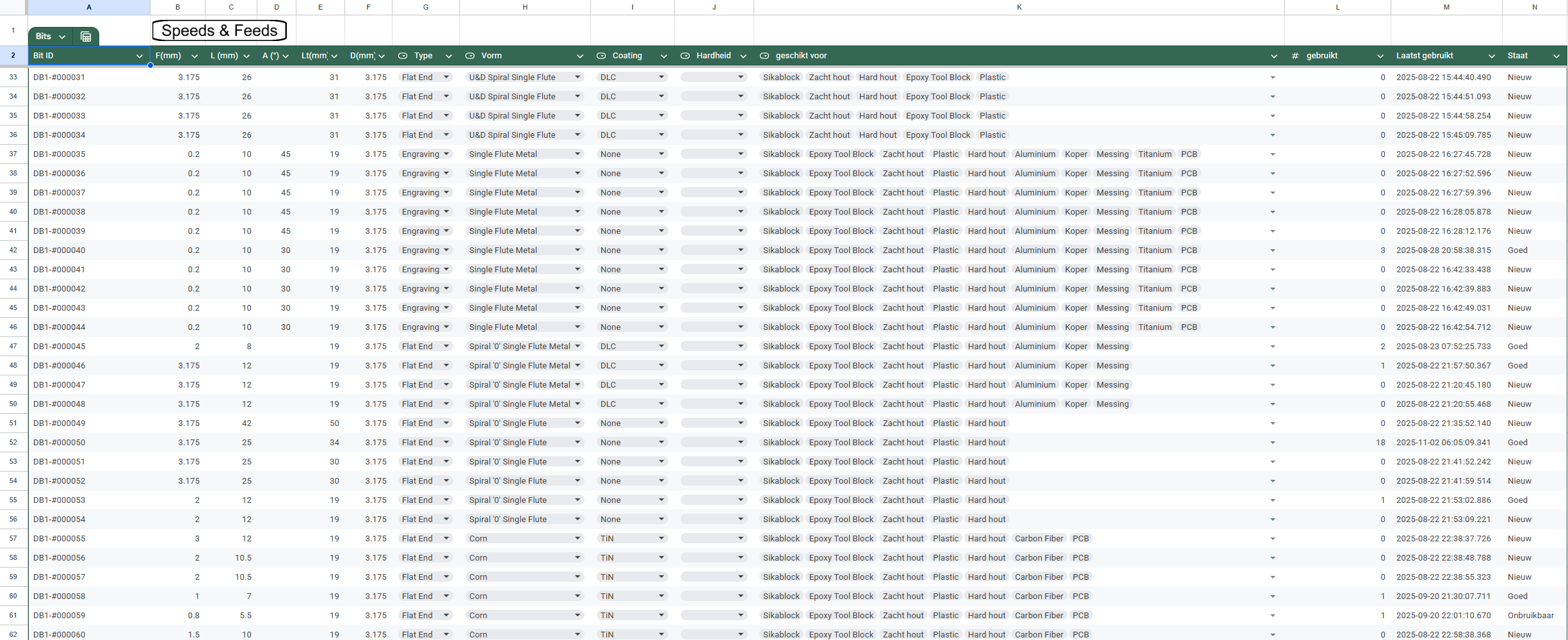
I have created a little sticker with QR-Code on every one of my tools, then I scanned them into a google-sheet (I call it my “CNC Bit database”) there I have recorded type and size of the bit, what coating, suited for HRC hardness, then I selected what materials it’s suited for and on another sheet I record the feeds, speeds and stepover for every bit/material combination.
I have a little script that runs every time I scan an new bit so it will generate records automatically and when I change a material in a bit I get a bit/material record extra.
When I have selected a bit I have a button I press and that automatically filters my speeds & feeds sheet to selected bit.
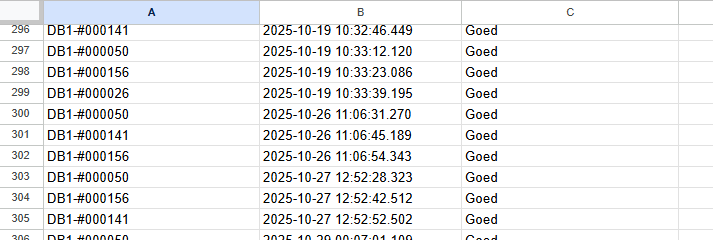
And because I can scan the QR code every time I finish with a bit I enter it’s condition “new, good, damaged, unusable” also timestamp goes with it, so I know how many times I’ve used a bit, and when was the last time.
I’ll show some screenshots, but it’s in Dutch.
I can filter on size or usage or whatever, select a bit and press the button on top:
I also have the step over in % and a calculated step over in fraction of the shaft size as needed in Kiri:Moto
the input I get from the phone app I use to scan the QR codes with is this:
Maybe I’m crazy but I like to keep track of this… like bit #50 (DB1-#000050) is used a lot, I should look at it under de microscope if it’s still sharp enough… It’s still roughing the hardwoord well though.
1 Like
I also have a spreadsheet with all my bits, though it doesn’t have anything else in it like materials or speeds, at least not yet…
Wow! This is another level altogether. I just wanted to not have to test every time I go back to a material I’ve cut before, but forgotten what settings I used last time. Yours is way more comprehensive, but I bet it pays dividends.
My approach is to have a dedicated setup exported as .kmz for each material. It contains the tools and a basic set of operations (usually outline, trace and helical) I tend to use for that material. Operations like helical are usually present for mutilple tools and reside behind the “End of Operations” marker so I can pull them in if applicable.
1 Like
That you have used another system gives you some perspective …..is Carveco purchased or “in development” such as KM….personally I am very happy with KM especially compared to Onshape cad subscription offering. There are features I might find useful such as being able to find a round drilled hole in round stock, I am able to work around it with dummy part drawings in Onshape. Stewart is one man not a team……I have been using AI for feeds and speeds….I certainly admire your spread sheet….are you doing/using this professionally….if so I would love to see a link to your services.
Carveco is subscription based ($17.50/month for Carveco Maker). I have used it for the past 12 months and it is very good, particularly for 3d reliefs, but not as good as other software (Estlcam, KM) for 2 sided carving.
1 Like
Oops …meant this for you also
No, I’m just starting with CNC, got my Makera Carvera now about 3 months I think, and I love it. I’m just strange like that, I want everything organised and documented… My collegue made a reference to the movie Tropic Thunder and called me Full-Retard…
I’m just learning, and that’s just what I love, learning stuff.
I’m working on a Gothic Chess board now, I already have 2 horses, 2 rooks and the king is milling right now (of the white color in Beechwood).
1 Like
The work around I used was to rough then contour the angle face with a square tool profile
workspace_CNC_FIXT (1).kmz (232.7 KB)