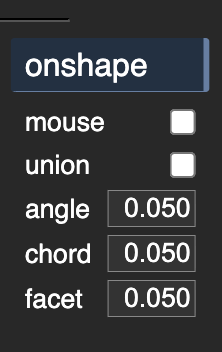
K:M preferences for Onshape integration include “angle” and “chord”. I assume those correspond to Onshape’s STL export parameters “Angular deviation (deg)“ and “Chordal tolerance (mm)“.
A problem: “chord” appears to have no effect.
A question: what does K:M use for the STL export parameter “Minimum facet width (mm)“?
I’ve just looked at this again, being motivated by irritating hassle with an ongoing project.
Onshape’s STL export parameters are: angle, chord, and minimum face width.
Of those, K:M offers angle and chord, but only angle has any effect for me.
But I’m finding chord and min face width to be much more useful. And when using those two to good effect, angle becomes irrelevant[1]. So I think it would be great to have chord working and min face width added.
About chord: It’s not obvious why that doesn’t work. I’m not up to speed with debugging. Is there a way for me to see variable values in relevant scope from within Chrome, or do I need a different runtime environment for that?
About minimum face width: Onshape’s parameter is minFacetWidth. Face with a t.
[1] “irrelevant” is the wrong word but I’m done proofreading. A sufficiently small angular limit would interfere. Increasing Onshape’s default “fine” limit to a large angle doesn’t degrade a good chord+facet result.
…
The reason I’m feeling this lately is that I have parts with a wide range of curvature, from very large radii – ie. not much different from straight lines and flat faces – to very small radii. I need the nearly-flat faces broken up into “several” facets instead of two or three. Breaking up the near-flat faces with a tight angle tolerance also breaks up small-radius features into a zillion micron-scale facets such that my sender-controller bandwidth become a hard upper bound on feed rate around small-radius features, and that upper bound is very v e r y s… l… o… w… . And large parts of a job that aren’t that slow are merely slow.
After a little effort to better understand Onshape’s STL export parameters, I’m now getting Goldilocks meshes that are fine enough in the flatish parts and not too fine around the fine features. Tight chord tolerances break stuff up in a way that relates to curvature better than an angular limit. But with a wide range of curvature, some parts would still be more finely divided than, um, the “noise floor” of material and machine. Turning up min face width solves that. I’m hopeful this will be very helpful. For the tolerable cost of manually exporting and importing the STLs.
The angle limit appears to be in radians instead of degrees. That’s not necessarily wrong, but it’s unexpected and different from the Onshape UI. It seems to work correctly otherwise.
The chord tolerance appears to be in meters. Again that’s not necessarily wrong, but it’s unexpected, etc. However, it is a problem because the smallest value that appears to have any effect is 0.0001m which
isn’t small enough, and
appears as “0.000” after K:M restarts, so you can’t see the value.
(0.00012 m is less finely divided and 0.00005m is not more finely divided)
For reference, here’s a 50 mm x 50 mm shape with a wide range of radii:
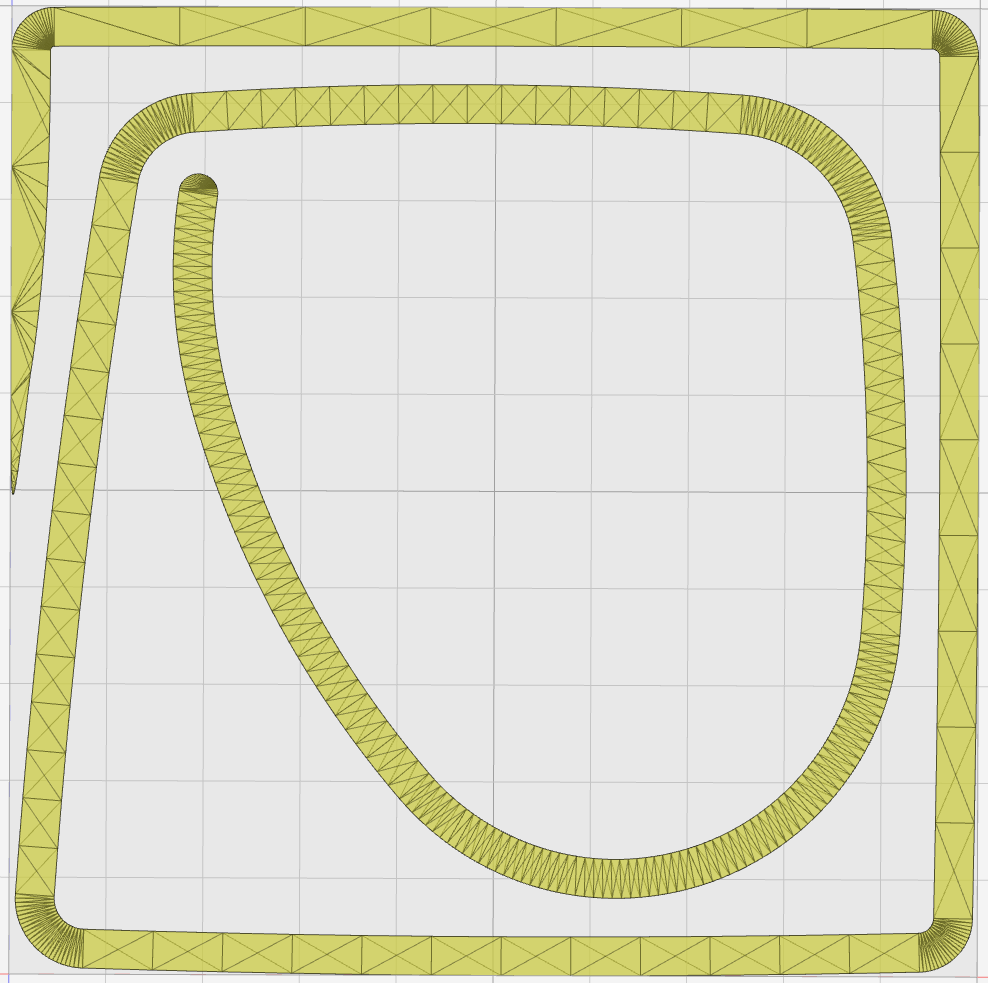
Exported as an STL from Onshape w/0.002mm chord tolerance, large angle tolerance, and small min face (so that only chord has effect) and the STL imported in K:M, it looks like:
That’s pretty good. The ~straight parts are broken up into more than one or two segments and the small arcs are not excessively divided. I might rather use a less small min face limit to divide them a little less finely, but they’re at a sane order of magniture as-is. The pointy bit could use a larger min facet, but that’s intentionally pathological.
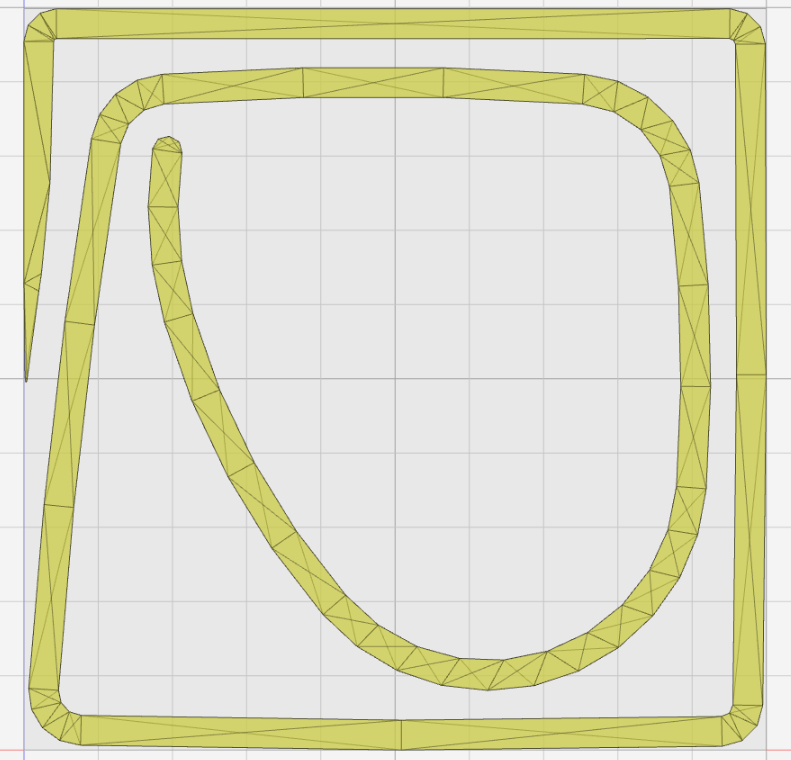
The best I can get in K:M (with 0.0001m chord tolerance) looks like:
The facet limit appears to not work at all. Very large values have no effect, so I don’t think it’s as simple as unexpected units. Unless the unit is Ångstrom? This would be a nice-to-have, after tighter chordal tolerance.
their API is very poorly documented, buggy, and often complained about in their forums. I’m using the same call structure as their official github go repo. they do not document how parameters interact when they are in conflict.
I wonder if anyone uses minFacetWidth (with attention to results).
I appreciate the improvement already achieved.
edit to add: conflict shouldn’t be problem here. … I guess (edit to delete …). And it works for Os native … unless they do some preprocessing to limit limits before the export call. ?.

 I will look into this today.