Here I am again — trying to do things that (currently) aren’t possible, but still trying to make them work anyway. 
I’m using a 44 mm slitting saw on the Makera Carvera, and I’ve run into a fundamental limitation in Trace operations.
A slitting saw looks like this (not actually mine though):
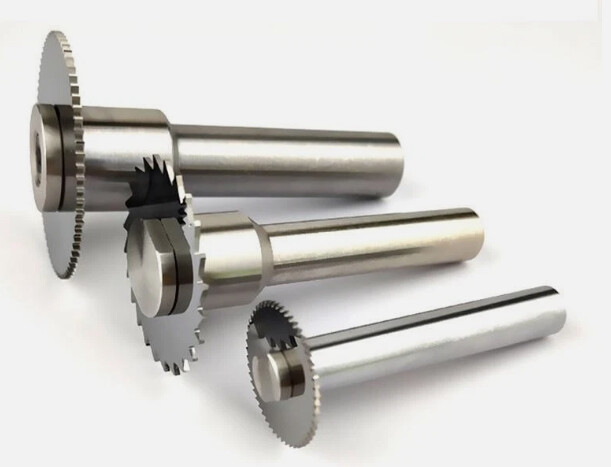
Because Kiri doesn’t support slitting saw geometry, I had to define the saw as a fake endmill:
-
diameter: 44 mm
-
cutting edge: 0.8 mm
-
shaft: 6 mm
In other words: there is currently no way to define a slitting saw as an actual radial cutting tool.
This works surprisingly well for generating circular trace paths — except for one critical issue:
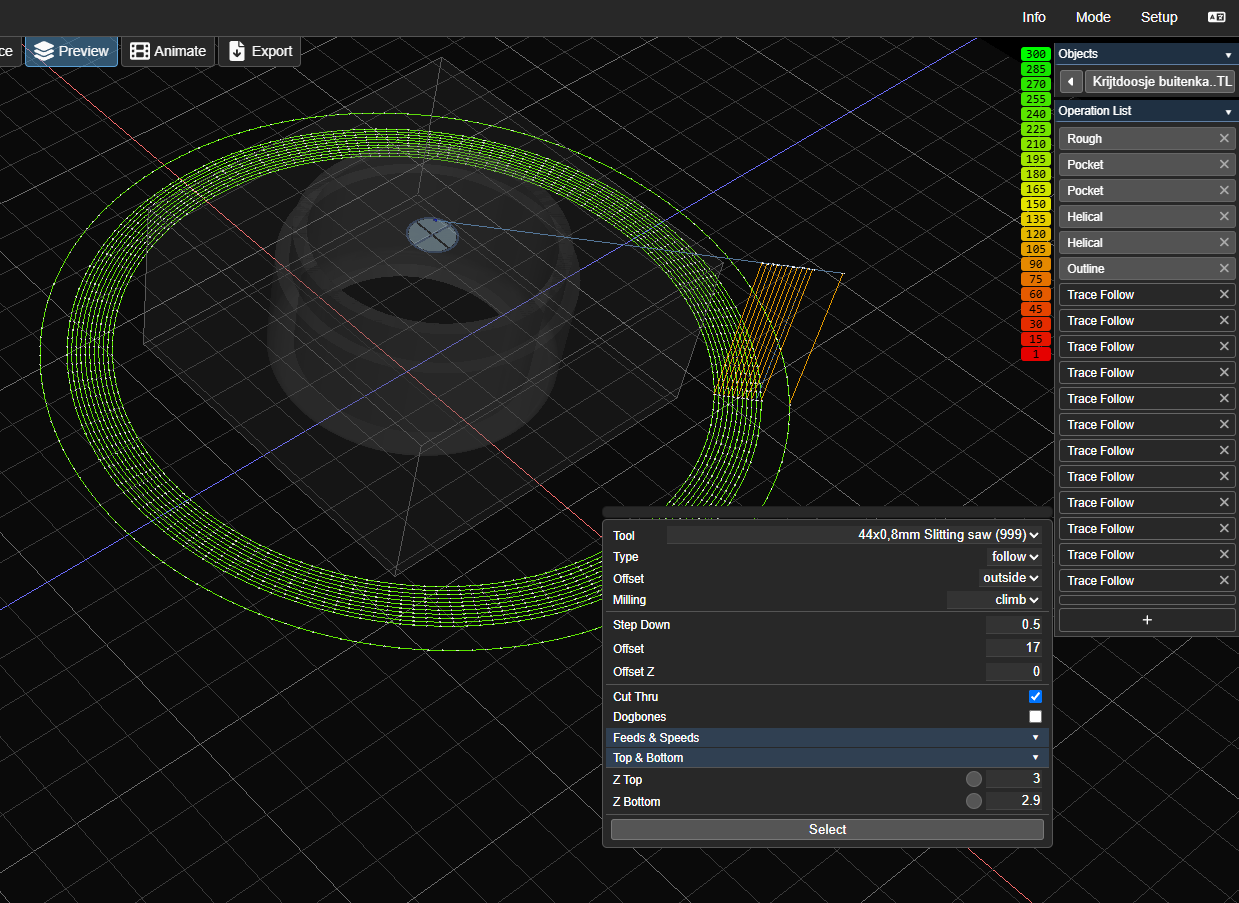
After every trace ring, Kiri automatically performs a Z‑hop to safe‑Z.
For a normal endmill this is fine, but for a slitting saw this is destructive:
the blade moves up through the workpiece, travels, and then moves down through the workpiece again.
This tears the part apart and makes slitting saw operations impossible.
In the generated G‑code you can see this pattern:
Code
G0 Z<clearance>
between every ring.
What I would need
A toggle such as:
-
“Disable Z‑hop between trace segments”
-
“Stay at cutting Z between trace ops”
-
or a dedicated “Slitting Saw Mode”
This would allow Kiri to:
-
plunge once to the cutting depth
-
perform all trace rings at that depth
-
retract only after leaving the workpiece
Why this matters
Slitting saws cannot retract inside the material.
A retract inside the workpiece causes:
-
the blade to drag through the part
-
damage to the workpiece
-
damage to fixtures
-
potential machine damage
The toolpath itself is correct — the only issue is the automatic safe‑Z hop between trace segments.
A simple toggle would make slitting saw workflows fully viable.
Screenshot for clarity:
Additional request: round stock support
This particular job uses pipe stock, and Kiri currently only supports rectangular stock definitions.
Round stock support would make setups like this much easier and more accurate, especially when working with cylindrical parts or tubes.