Kiri will try to travel through an internal feature of the part as if it weren’t there, thus taking far to deep of a cut, in an area that wasn’t supposed to be cut at all. Perhaps this is due to something i’m doing.. any suggestions much appreciated.
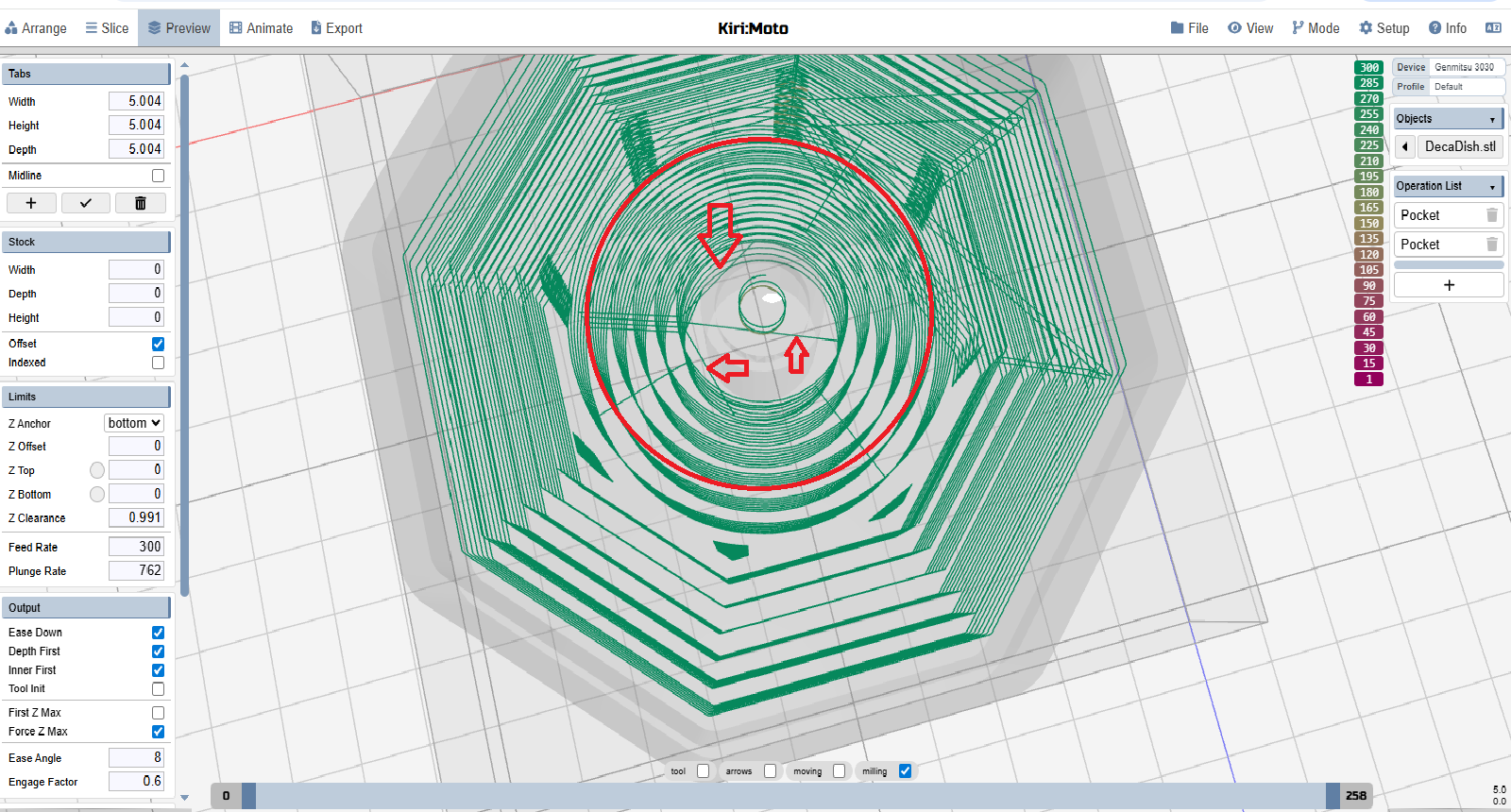
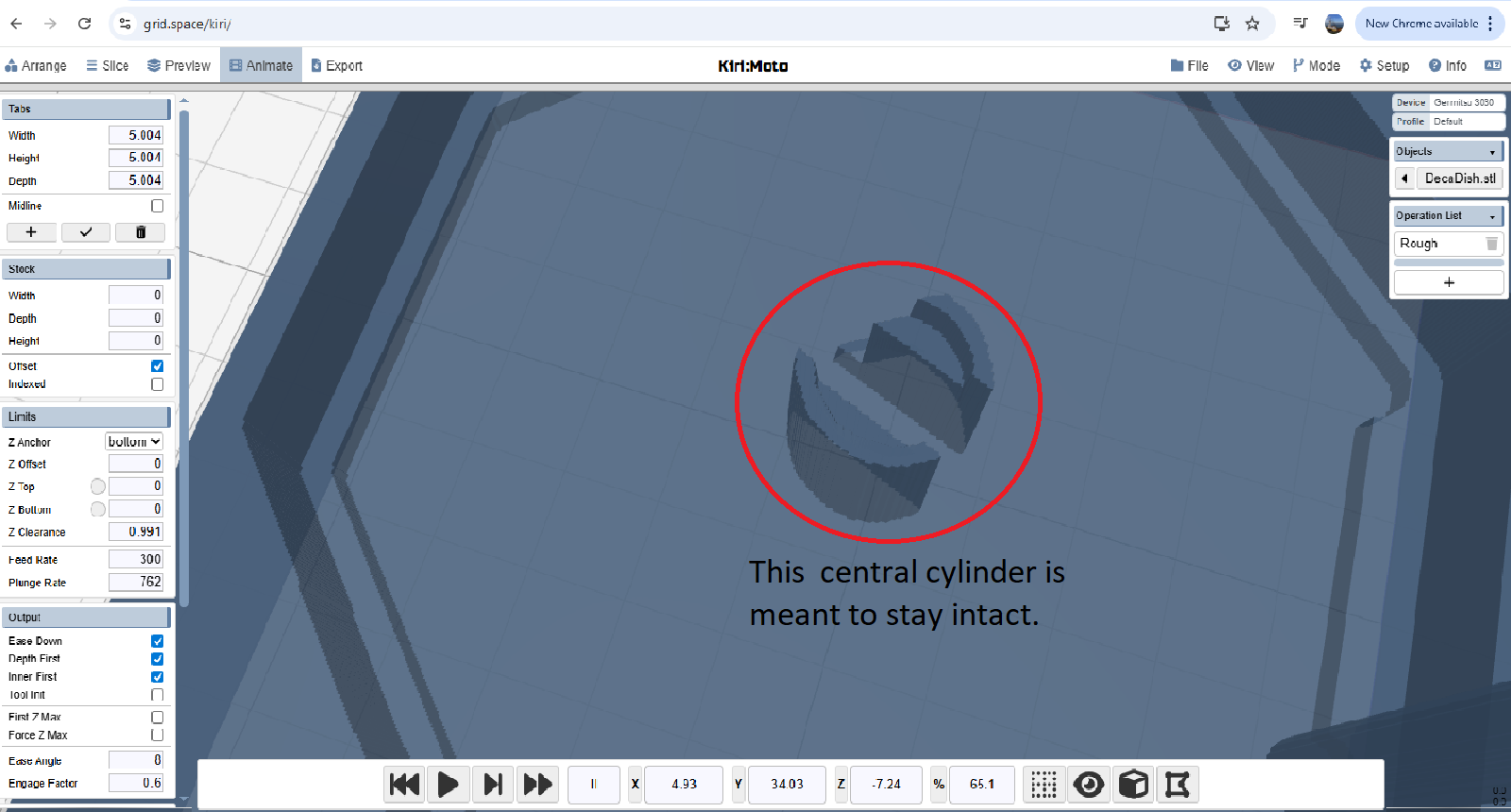
EDIT: I found that by not having “Inner first” and “Depth Priority” on at the same time fixes the issue. Do these settings interfere with each-other in a way i’m not aware of?
they should not. can you provide your workspace for debugging (file → export produces a .kmz)
the forum says “New users cannot upload attachments” although it let me upload those two .png files
can you use a service like limewire?
yea heres a link to limewire drop file: Download workspace_DecaDish.kmz | LimeWire
excellent. I’ve reproduced the bug from your workspace. it’s late here so I will resume this tomorrow and push a fix to production then.
Sweet, glad I could bring it to your attention, late here as well. I also noticed that “Engage factor” seems to be ignored when ramping down into a full cut. Thought id mention it.
found it! stay tuned.
it should be fixed in production. shift + reload on the page to clear cache.
Awesome! Thanks for being so active and such a great service! love Kiri:Moto.
1 Like