Using 4.6, I am having a problem getting this to slice correctly. I have attached 2 workspaces, 1 is the full model and the other is just the section that I am having trouble with.
workspace_cone.kmz (246.8 KB)
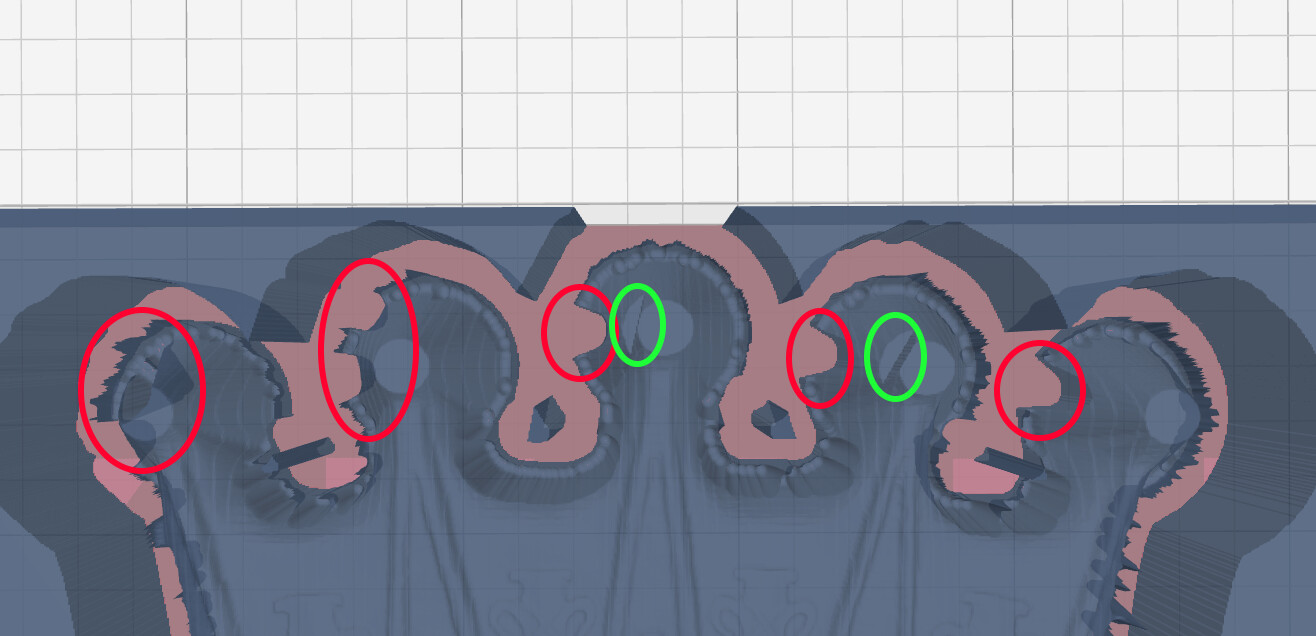
In the following screenshots you can see the rough operation crashing into the cone areas at the top of the crown. The red areas go to Z bottom and the green areas were on 1 or 2 layers. I have some ”leave stock” and ”leave stock Z” amounts in there. It is worse if left at 0.
I tried cutting off one of the cones and slicing it. I get pretty much the same result.
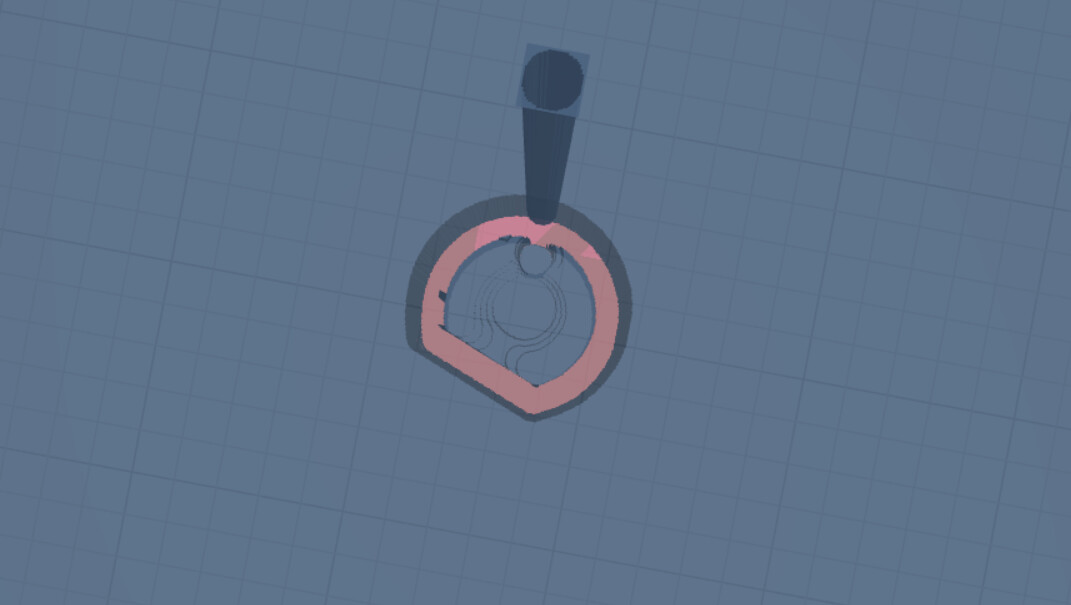
Contour also did this on the piece that I actually cut, but I can’t seem to repeat that now in the workspace. Here is the gcode section (bold) where I think it happened and a link to the full file.
Starting at line 523274
G1 X85.8183 Y241.7292 Z-19.5100
G0 X85.6961 Y242.3301 Z-17.9253
G1 Y242.5438 Z-17.7822
G1 Y242.7575 Z-17.6392
G1 Y242.9712 Z-17.5101
G1 Y243.1849 Z-17.4039
G1 Y243.3985 Z-17.2989
G1 Y243.6122 Z-17.2522
G1 Y243.8259 Z-17.2056
G1 Y244.0396 Z-17.1829
G1 Y244.2533 Z-17.1843
G1 Y244.4670 Z-17.1798
G1 Y244.6807 Z-17.0752
G1 Y244.8944 Z-17.1368
G1 Y245.1081 Z-17.2308
G1 Y245.3218 Z-17.3247
G1 Y245.5354 Z-17.4508
G1 Y245.7491 Z-17.5986
G1 Y245.9628 Z-17.7750
G1 Y246.1765 Z-18.0217
G1 X85.9453 Y246.9486 Z-19.5100
G1 X86.8765 Y246.6250
G1 X87.8078 Y246.3015
G1 X88.7390 Y245.9779
G1 X89.6703 Y245.6544
G1 X90.6016 Y245.3308
G1 X91.5328 Y245.0073
G1 X92.4641 Y244.6838
G1 X92.4612 Y244.6671
G1 X91.5802 Y244.6735
G1 X90.6993 Y244.6799
G1 X89.8184 Y244.6863
G1 X88.9374 Y244.6927
G1 X88.0565 Y244.6991
G1 X87.1755 Y244.7055
G1 X86.2946 Y244.7119
G0 X85.5536 Y245.5354 Z-17.9499
G1 Y245.3218 Z-17.8293
G1 Y245.1081 Z-17.7354
G1 Y244.8944 Z-17.6414
G1 Y244.6807 Z-17.5819
G1 Y244.4670 Z-17.6704
G1 Y244.2533 Z-17.6690
G1 Y244.0396 Z-17.6676
G1 Y243.8259 Z-17.6925
G1 Y243.6122 Z-17.7392
G1 Y243.3985 Z-17.7858
G1 Y243.1849 Z-17.8898
G1 Y242.9712 Z-17.9961
G0 Z2.9900
G0 X78.8580 Y242.3301
G1 Z0.0900
G1 Z-17.8266
G1 Y242.1164 Z-17.6946
G1 Y241.9027 Z-17.5617
G1 Y241.6890 Z-17.4588
G1 Y241.4753 Z-17.4814
G1 Y241.2616 Z-17.4974
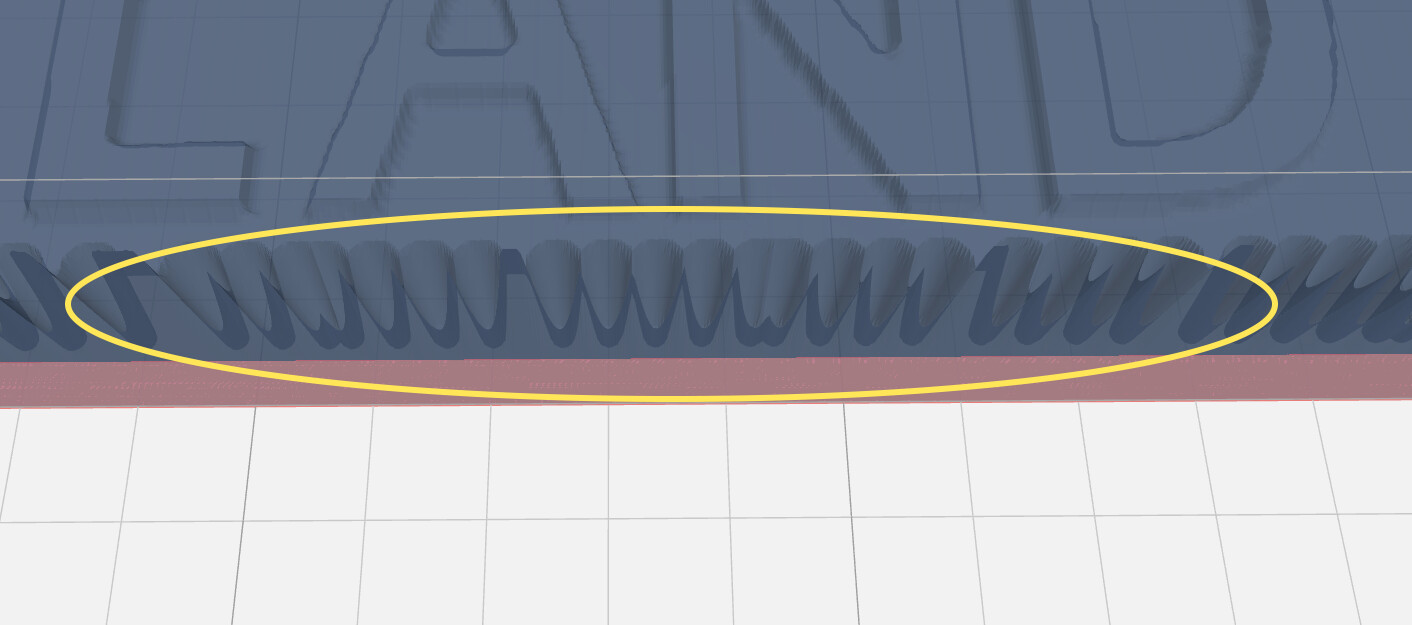
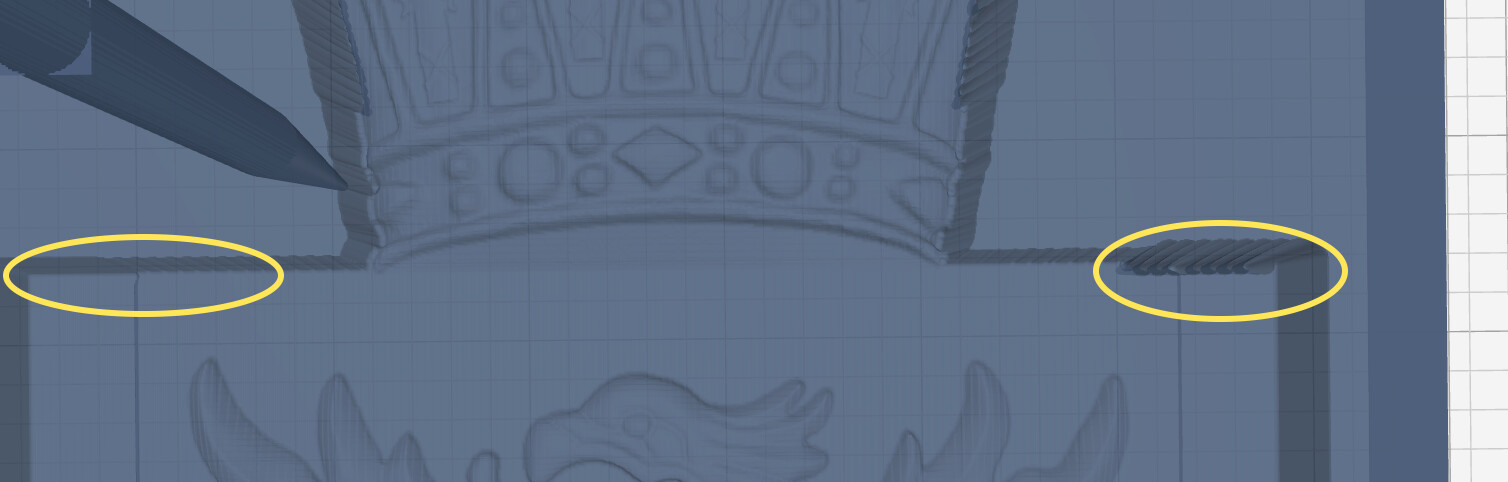
One more issue. With “inside only” checked on contour I get full z bottom plunges along the bottom edge and the right side top edge but not on the left side. They are about every 4th or 5th pass.
Thanks so much for any help.
Jeff