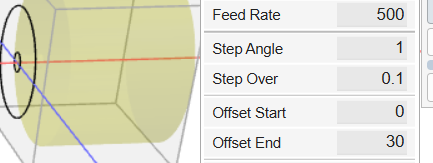
The problem I’m trying to solve is how to remove the finished part from the stock. For this part I did some pockets at the end of the stock then sawed off the remaining bump. I made Lathe cutting code that dropped 1mm on each pass. Set up the stock so it was just clipping 0.35mm at the end of the stock with a 1/8 flat mill. All went well.
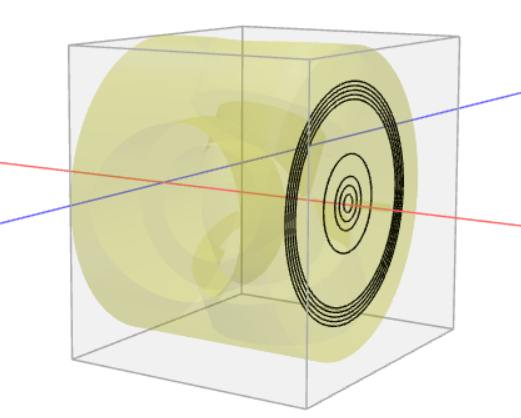
When I made the second part I tried to do the same continuous lathe cut with a smaller step. For some reason I could not reproduce the code I made for clipping. The lathe code made the first pass at 0.3mm but instead of stopping at 360, it just keeps rotating. Any additional lathe operations to remove more material are ignored. I also see a strange pattern that extends outside the stock on all sides.
Since I could not reproduce the continuous cut I tried the code I had but the 1mm drop while making a 1/8 cut was too much so the mill was melting instead of cutting.
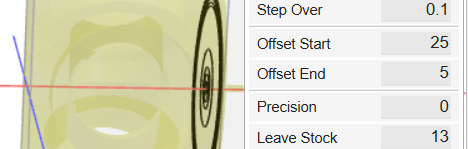
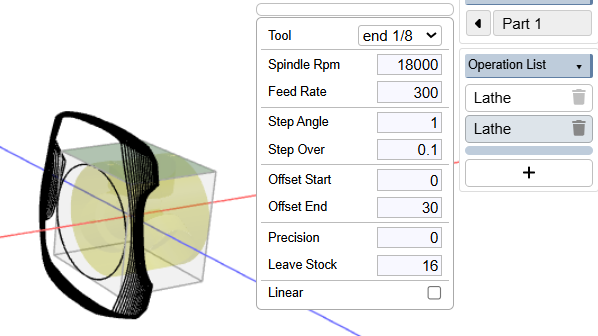
Adding additional information showing the slice result. The part has a 2mm circle that sticks out 5mm from the left side of the part. First Lathe operation is set to leave 17mm on a a part with a 17.5mm radius. The offsets are set to trim the edge with about half the width of the 1/8 end mill. The first Lathe makes a single 360 degree turn by 1 degree at 17mm. The second lathe operation is set to leave 16mm. Instead of generating a single 360 degree operation 1mm below the first it creates something outside the part that rotates 360 degrees about 15 times.
Not sure what you mean by that. I’m working in Onshape and have imported the part directly into a KiriMoto tab that I opened with the app I got from the app store.
Do you want me to export the part as a STEP then open it in a web version of KiriMoto? I can also try to share the Onshape part with you though I’m not sure it will work outside our domain.
Hope this is better. The Lathe settings are Leave 16, Leave 14, Leave 10. One kmz is generated from the Onshape window, the other from the gridspace web page.
Both look like they do the same thing, Z = 16 gets set to 17mm, the parts gets rotated 720 degrees, rotates back to 0. On the 10mm cut Z = 10 the Z gets set to 11, and it makes a 720 degree rotation.
In both cases the middle cut, Leave 14 is ignored.
great. this is showing one of the problems I’ve been trying to crack with Carvera and the A axis. after doing a continuous lathe where the angle keeps increasing, I need to reset A back to 0 before the next op. if you look in the device macros, there’s one called Reset A and it looks like this:
G92.4 A0 R0
You’ll see that injected into the gcode after each lathe operation. This must not be working on your mill. So I need to sort out a reliable way to do this on all Makera mills.
There is something you could try. Enable web gpu in preferences. This will use a new lathe code path that experimentally “rocks” the A axis instead of doing continuous winding.
Nice, I had the same issue that it rewinded back to 0 but I dind’t have like 15 times I had a project that turned like 1000 times or so, when done you’ll be waiting like an hour to rewind back (I stopped it though).
I worked around it by roughing 2 sides first and then lathe lenght wise so you have only 1 rotation.
In this example the round material is 35mm diameter. The finished piece should be 25mm thick (x axis) and it has a 5 mm end piece, 1mm in diameter for the reference for the “Leave” setting in the lathe.
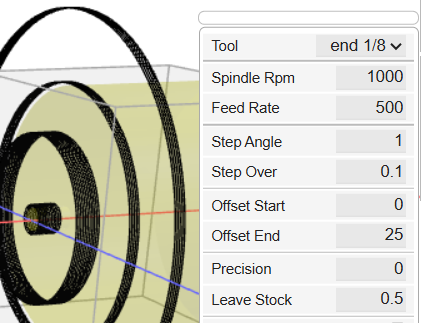
The lathe generates concentric continuous cutting paths. It still does a 360 to 0 rotation at the end of each cutting path but that does not seem like a big issue.
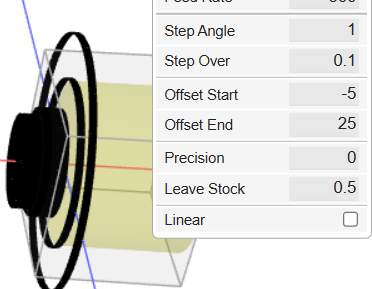
I did find a couple of issues that are more FYI instead of asking for a fix. Here’s the lathe settings for one of the cuts with the work piece set at a -15mm offset.
Which will lathe cut but it will leave extra material on the work piece so it will be thicker than 25mm.
Not a big problem other than having to make the main index mill cuts on the work piece then stopping, flipping the work piece, and proceeding with concentric cuts with a different gcode.
The other FYI is that I could not perform any of these operations when I opened KiriMoto in Onshape as an app. Probably an Onshape issue. Just raising this to warn other OS users.
 (I stopped it though).