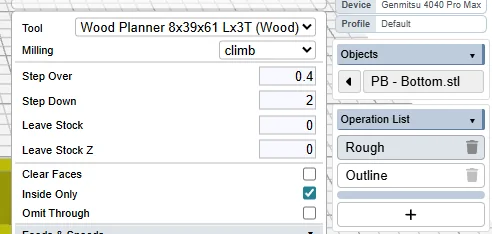
2/ Outline with a smaller tool (3.175mm) to finish and coutout the contour
But, I cannot find a solution to remove the remaining material except to use a second Rough operation with the small tool but the machine work on the entire area (where the large tool already removed material) that is not a solution to reduce time.
without access to your workspace, i’m not sure why that area is remaining. can you use a smaller step over? to tackle just those corners, you could try an inside trace with additional offset.
What you want is called “rest” machining (remove the rest of what the preceding op didn’t get), and Kiri:Moto doesn’t do that yet.
In addition to Stewart’s suggestion additional offset trace(s), here are another couple of different approaches to get what you need:
1/2: Your inside corner radius would allow finishing with a larger diameter tool. It’s hard to tell from the screenshot, but it looks like you might be able to finish with a tool large enough to clear that corner area – if you have one. Or you could rough with a smaller diameter tool to leave less in the corners, but I certainly understand the attraction of roughing with the biggest tool that works. (or some combination of smaller+bigger tools to close the gap and/or changing the box corner radius)
2/2: You could use a modified CAD model to steer K:M into doing what you want it to do. In this case, you could make a second model with the box filled solid except for a ~triangular pocket in each corner. Then a second roughing op (inside only) on that model with the smaller tool would clear into the corners left after roughing with the larger tool. Then back to the original model for the outline op to finish. That will take a little more time to fuss with the add’l CAD work and roughing op, but it could pay back if you expect to make a few of these boxes.