I am a secondary teacher and use Onshape Education with the Kiri:Moto app to enable students to slice 3D models for exporting as DXF files for laser cutting. This has been working perfectly until just recently, now when students try to export from Kiri:Moto they get the message “TypeError: Cannot read properties of null (reading ‘toUpperCase’)”. I can still export DXF files from my account. Does anyone know what this means, why it is just affecting students and not me, and what we can do to fix it? Thanks.
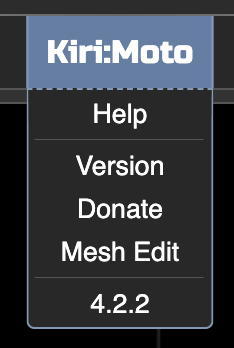
Mine shows as 4.2.2. Do you think it could be that the students have an older version?
it’s possible. also, there could be a stale cache issue. if in chrome, they can try holding “shift” and clicking the reload button in the browser. also, if they can open a tab in their browser to
and see if that’s working and what version shows up. because Onshape iframe’s Kiri, it can sometimes cause caching problems with browsers.
I’m doing server maintenance today so it’s possible that’s causing transient issues.
1 Like
Thanks, I’ll give these a try.
let me know if the problem persists
We’ve tried the suggested fix but it still seems to be an issue. I’ve checked the students’ version and they have 4.2.3 - which I also have. Strange that I never get the error but they do. It’s also intermittent - sometimes they can export and sometimes not.
are you able to share a workspace .kmz with me that is experiencing this issue?
I’m 99% sure you’re getting that error because your machine file extension is not set.
in rel-4.2 kiri-run/worker.js, toUpperCase() is called on settings.device.gcodeFExt.
//export in different modes, based on device type
        if(mode.toUpperCase() === "LASER"){
            let FExt = data.settings.device.gcodeFExt.toUpperCase();
            if(FExt === "DXF"){
                let dxf = driver.exportDXF(data.settings, current.print.output);
                send.data({line:dxf});
            }else if(FExt === "SVG"){
                let svg = driver.exportSVG(data.settings, current.print.output);
                send.data({line:svg});
            }else{
                //if not svg or dxf, default to gcode
                let gcode = driver.exportGCode(data.settings, current.print.output);
                send.data({line:gcode});
            }
        }
This should be handled better in the code, but as a temporary workaround, setting the file extention in the machine tab should solve the problem.
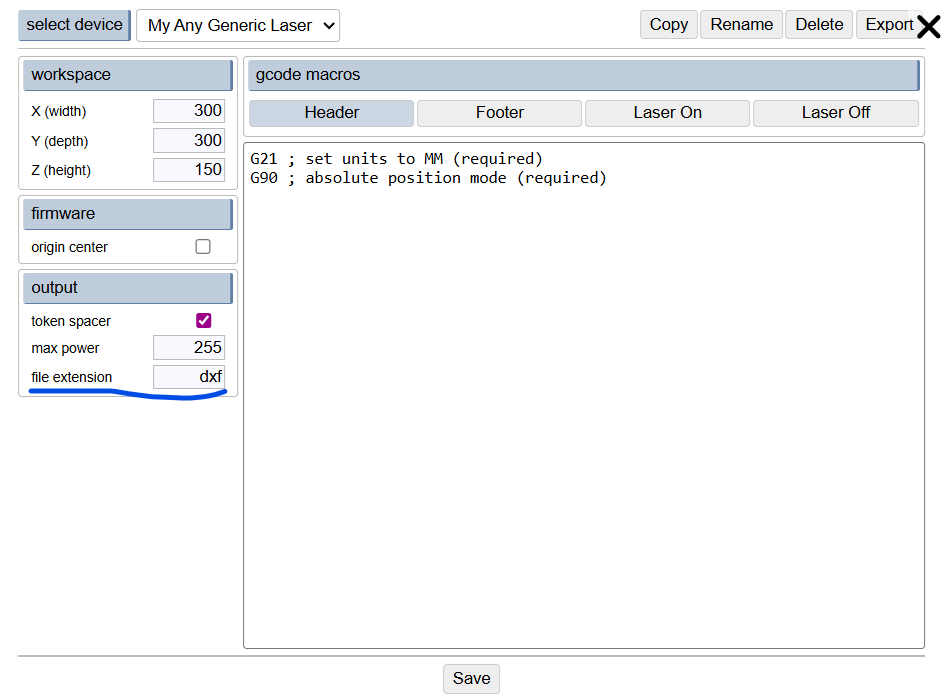
I’ve made PRs to fix this in 4.2 and 4.3
1 Like