Morning All,
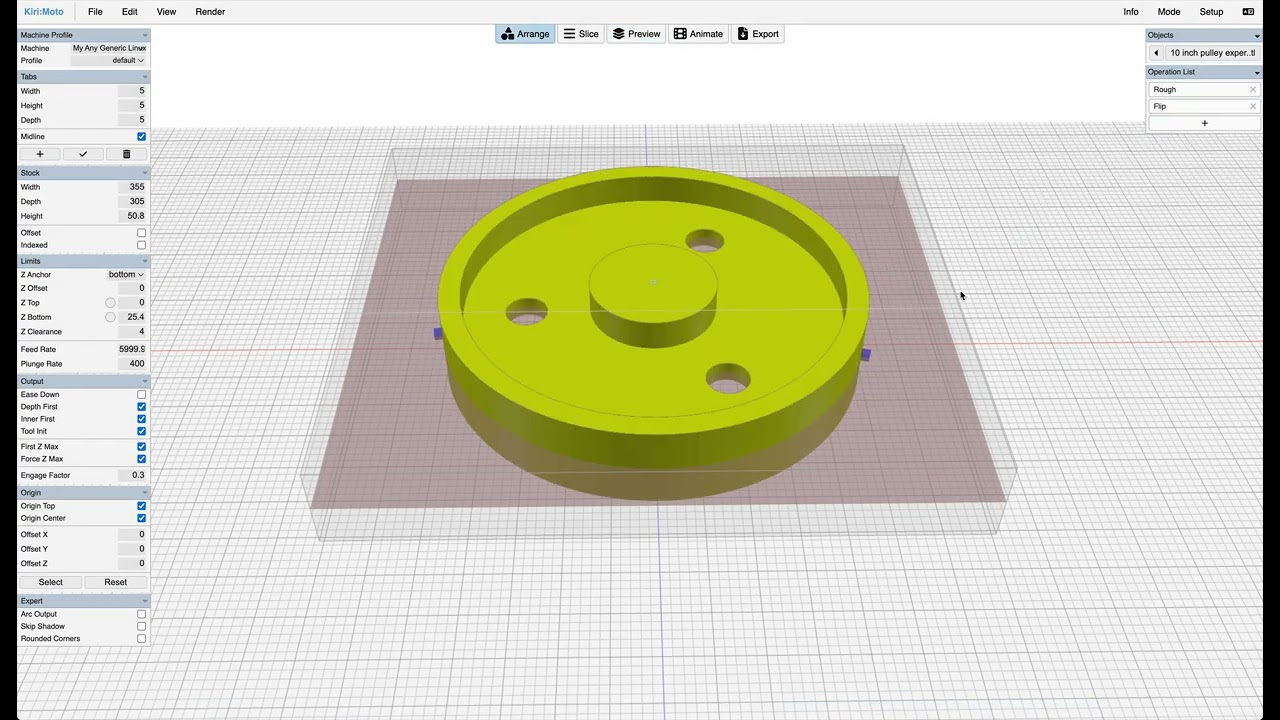
LIkely I am overthinking something here. I am creating an EPS blank to make a cast pulley.
My difficulty involves the flip.
Three files, first is the index holes, second is the top surface, third is flip and back surface.
One of the features is a set of three equally spaced holes for the lathe to grip. My problem is the holes have been coming out elongated. I think my confusion is when to flip.
Since my two sides are supposed to be identical, I start with the same cut file top and bottom, insert the flip between… Do I flip the second file at this point or will kiri flip the file before converting to cnc file?
Thank you.
David
workspace_10_inch_pulley_experiment.kmz (261.3 KB)
thanks for the workspace. this video shows the intended use of flip. selecting flip -> flip flips the part and opens the operation chain for the other side. you maintain the operations for each side separately.
but using your workspace, i did notice that the registration function appears to be offsetting the part, which could be leading to the ovals. i’ll dig into this.
Morning Stewart,
I have another part to my question!
Before exporting the third file which involves the flip and rough, should I manually click the flip and then export or do I leave it alone, assuming the computer will flip the drawing?
David
you need to export gcode for each flip
Do I need to trigger the flip in Kiri before the export, or does Kiri do the flip itself before the file is written?
you export → flip → export … the reason is that you may decide to just modify and re-export one side and no have “automatic” behaviors interfere with that
Got it, will give a try in the morning. thanks you.