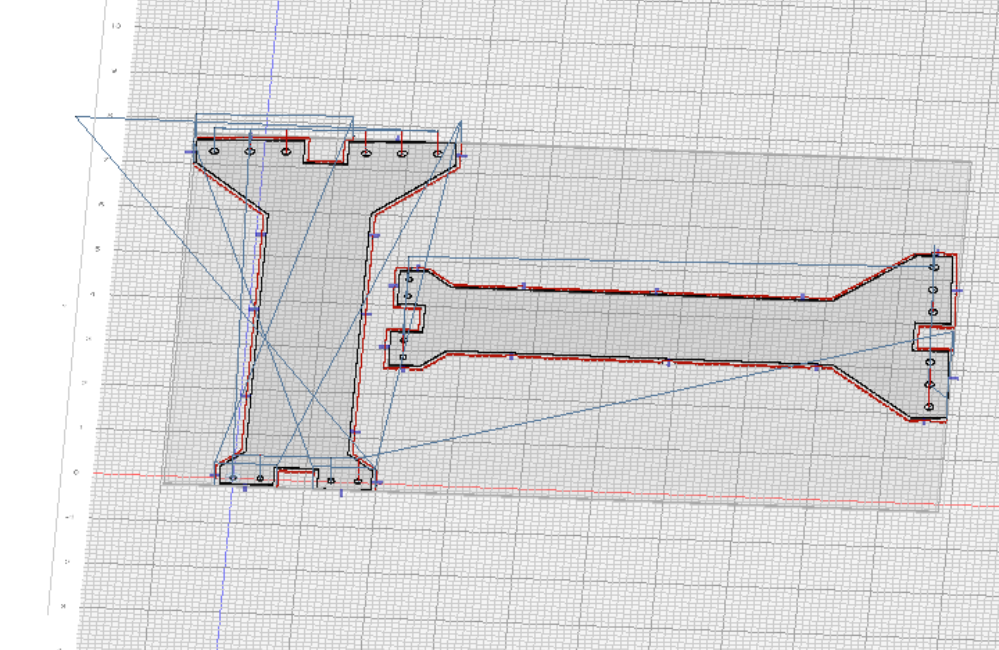
Does not put origin where I want with multiple parts ….works for one part
In Onshape will try the cloud version…..no joy
workspace_Flat_pattern_of_FLAT_RH61.kmz (225.7 KB)
Does not put origin where I want with multiple parts ….works for one part
In Onshape will try the cloud version…..no joy
workspace_Flat_pattern_of_FLAT_RH61.kmz (225.7 KB)
more issues when adding a part…..there is a movement way outside the defined space in the outline operation…..
probably has to do with adding that part and rotation and move to position on the table spaced next to the other part
workspace_Flat_pattern_of_FLAT_RH61 (4).kmz (199.1 KB)
if you want to constrain cut lines to the stock area you have to enable clip to under the left stock menu.
both of these issues fixed on the dev server. please test
select origin works now however playing around with rotation of one part I still get way out of bounds travel….see screen shot.
test multiple parts.kmz (218.3 KB)
here is the file before I rotated one of the parts….no issue … apparently has to do with rotation
multiple part test original .kmz (199.7 KB)
should be fixed on the dev server.
Works Dev 4.5…………………….